Usage
See what your Workspace's model keys have spent: by key, model, agent and kind of call, with an AI explanation and a CSV export on every card.
Overview
Every model call the Workspace makes is recorded with its tokens and cost, and the Usage page shows where the spend goes. A Workspace sees only its own usage.
Where to find it
Open the user icon at the top right, choose Workspaces, open the Workspace, and click Usage under Governance and Security ("What your workspace's model keys have spent"). The page address is https://PLATFORM-URL-PLACEHOLDER/workspaces/{workspace-name}/usage. Usage is not under Settings.
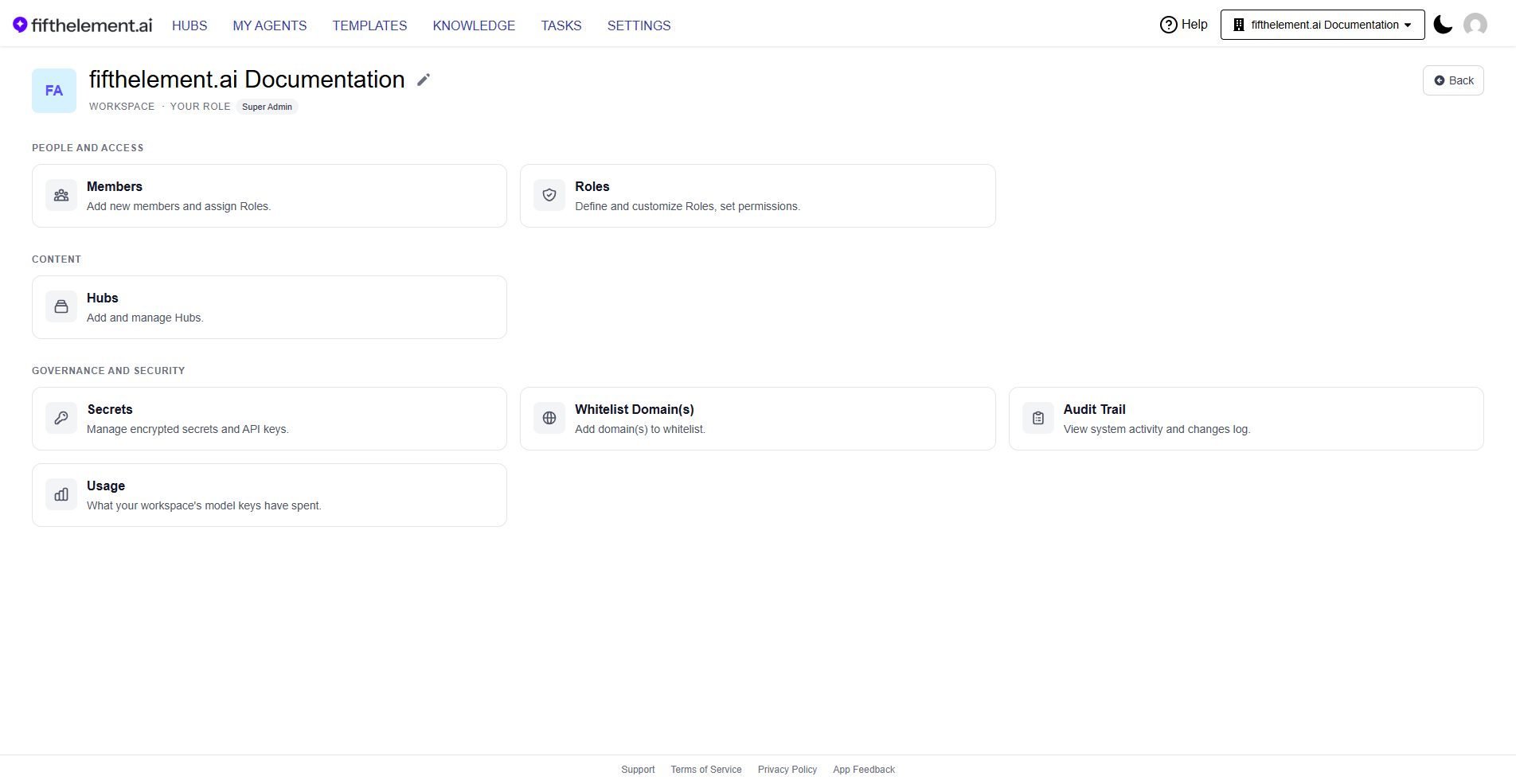
Governance and Security with the Usage card.
What Is Recorded
| Kind of call | What the record holds |
|---|---|
| Chat and agent calls | The model, the agent and conversation, the credential and key that served it, the time (UTC), whether it succeeded, and input, output, cache-read, cache-write and thinking tokens with the cost from the model's price. Title and history-summary calls are tied to their conversation; moderation calls are logged too |
| Embeddings | Knowledge Base search and document ingest embeddings, with their tokens |
| Speech to text | The seconds of audio, for voice notes and voice calls. A failed transcription is logged as a failed call |
| Text to speech | The characters spoken, for read-aloud and voice calls |
| Voice calls | A realtime voice call reports usage after every answer, tied to the message it produced: the realtime model, and for custom voice pipelines the speech-to-text, language and text-to-speech models separately. The call's total is kept as a check and never counted twice |
| Batch | Document summaries and crawl pages processed in batches, per item at the provider's batch price |
| Agent Tasks | Every model call made by a task run |
Cost follows each model's price, per million tokens, per second of audio, per million characters or per minute as the provider charges. A model with no price, or a call whose size is unknown, is counted but shows no cost rather than $0. Providers that bill in another currency are converted at a daily rate, with the native amount kept. Usage is counted from the day the feature was released; earlier calls are not backfilled.
The Usage Page
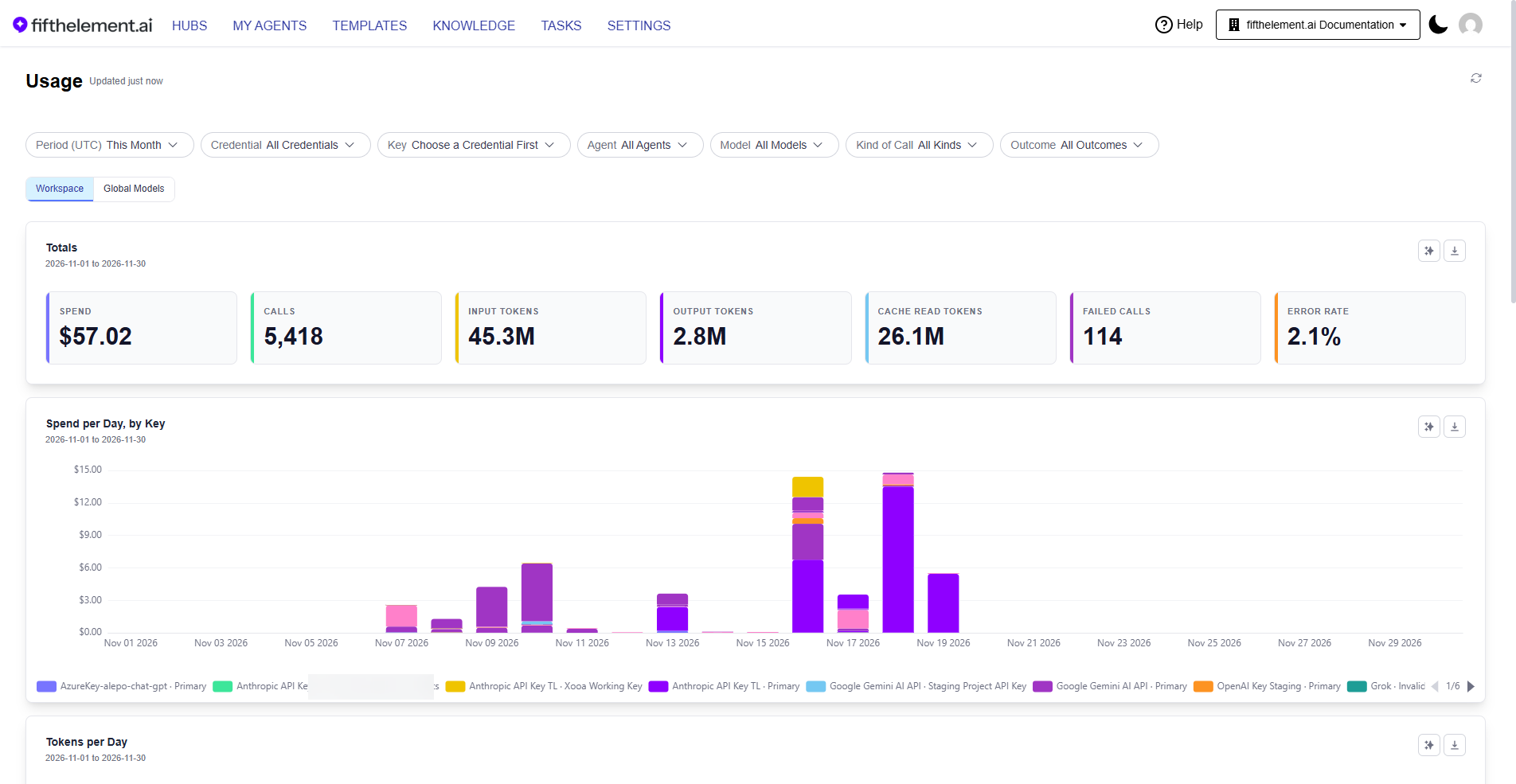
The filter bar, the Workspace | Global Models control and the Totals card. Key labels that identify people are blurred.
One filter bar for every card
| Filter | Options |
|---|---|
| Period (UTC) | Today, Yesterday, Last 7 days, This week, Last week, This month, Last month, Last 30 days, or a Custom range of up to 13 months |
| Credential and Key | A credential, then one of its keys. Key reads Choose a Credential First until a credential is picked |
| Agent | One agent |
| Model | One model |
| Kind of Call | For example Chat and Agents, Batch, Embeddings, Moderation, Text to speech, Voice Calls, Agent Tasks |
| Outcome | Succeeded or Failed |
Every filter applies to every card. Filters are not written to the page address, so a reload returns to This Month and the Workspace view. A link from a key under Settings > Credentials > Edit > Edit Key opens the page already filtered to that credential, key and month.
Workspace and Global Models
The Workspace | Global Models control under the filter bar (captioned Usage Source) switches between calls on the Workspace's own credentials and calls on the platform's shared global models. The Global Models view appears only when the Workspace used shared models in the chosen period. On that view, Credential and Key read Not Used for Global Models.
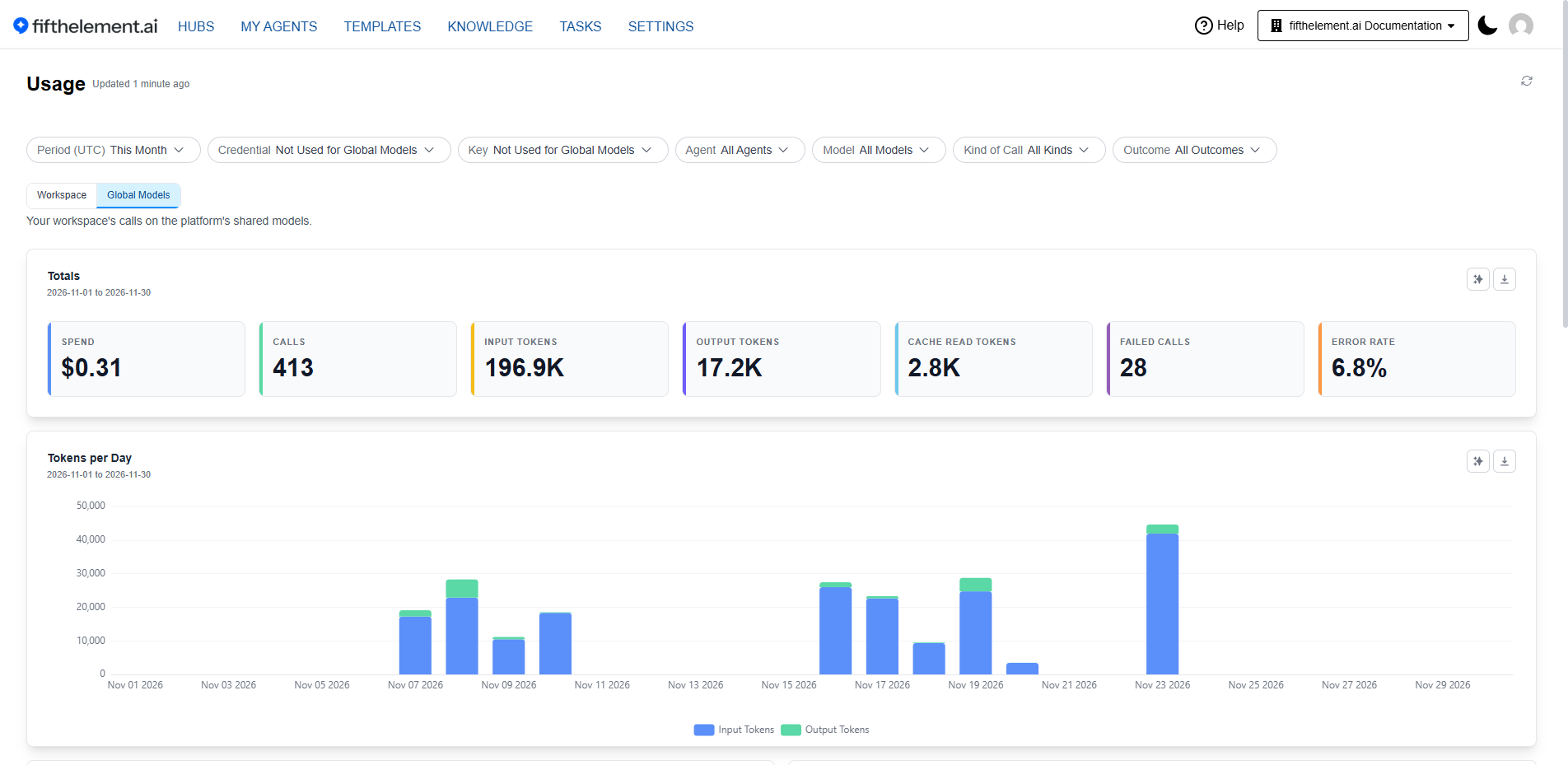
The Global Models view: the Workspace's calls on the platform's shared models, with Credential and Key not used.
Cards
| Card | Contents |
|---|---|
| Totals | Spend, Calls, Input Tokens, Output Tokens, Cache Read Tokens, Failed Calls, Error Rate |
| Spend per Day, by Key | One bar per day, split by key, with the keys named in the legend |
| Tokens per Day | Input and output tokens per day |
| By Key, By Model, By Agent, Kind of Call | Spend, Calls, Input Tokens, Output Tokens and Error Rate, biggest spenders first, ten rows per page with Prev and Next |
Calls that belong to no agent, such as embeddings and batch work, read No Agent. A deleted credential reads Deleted Credential.
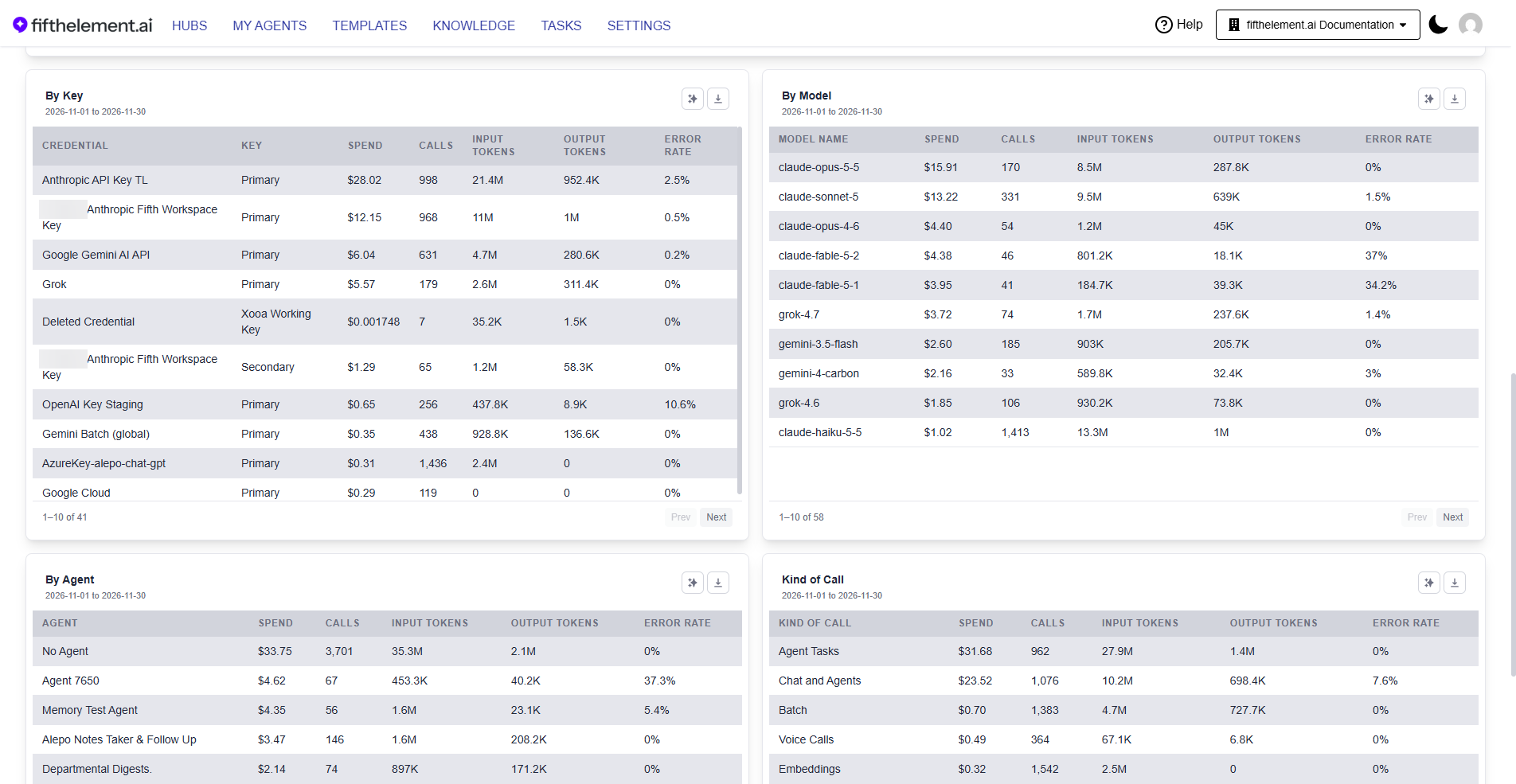
The four tables, each with its Explain and Export CSV icons. A key label that identifies a person is blurred.
Explain and Export CSV
Every card carries two icons at its top right:
- Explain (the sparkle, Explain this chart) opens an AI summary of that card's figures for the filters you set.
- Export CSV downloads every row of the card, following the filters, as plain numbers; the file name states the card and the period.
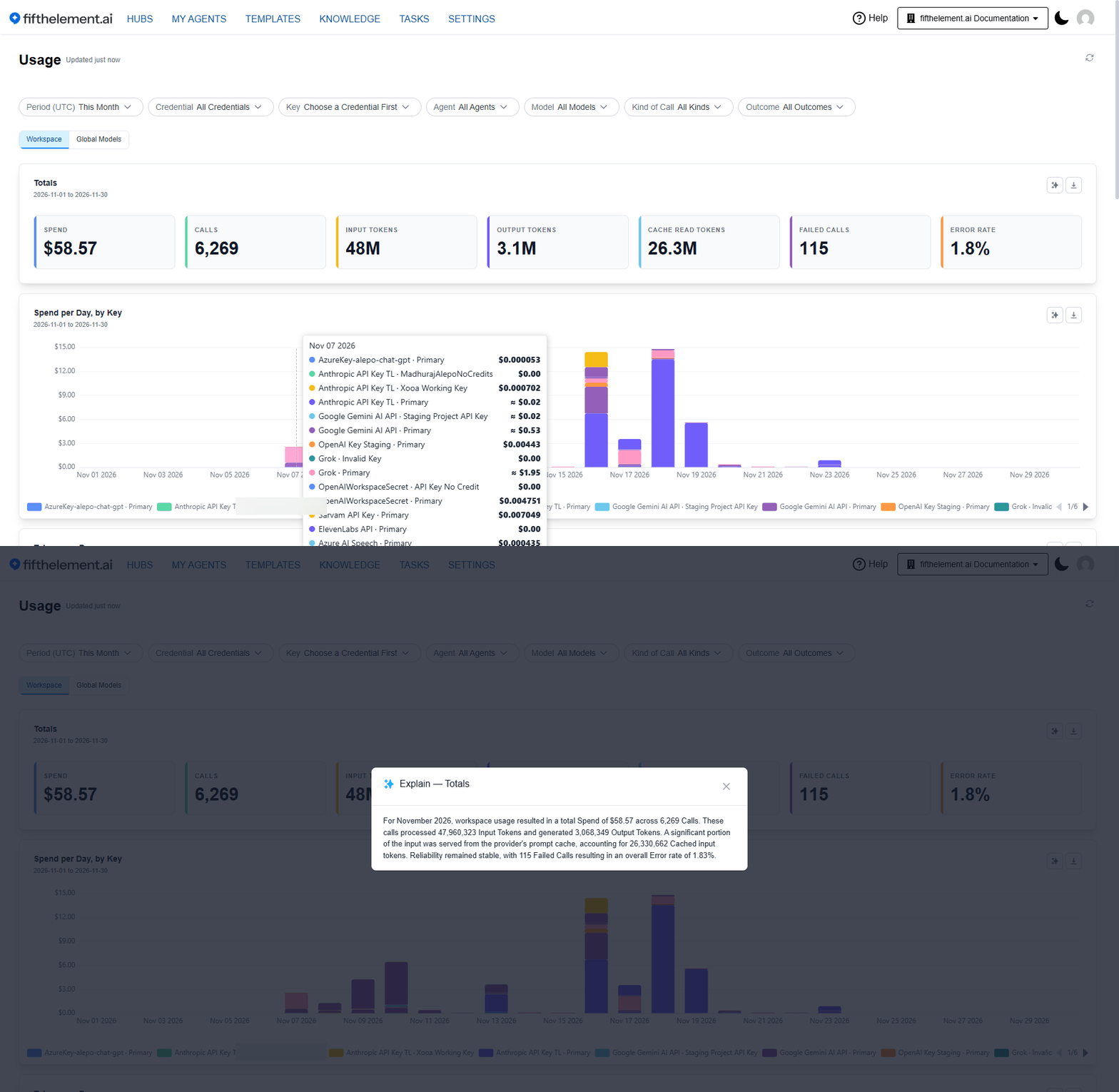
Explain on the Totals card opens the Explain — Totals dialog with the AI summary.
The page also works at phone width, with the filters folded into a Filters button.
Access Control
Usage is permission-controlled. Under Workspaces > Roles > role, the Usage row has one right, Read, which needs Workspace: Read. The seeded Admin, Co-Admin and Developer roles receive it by default; grant it to other roles, including custom roles, as needed. Anyone with it can use Explain and Export CSV. Without it the page reads You don't have access to this.
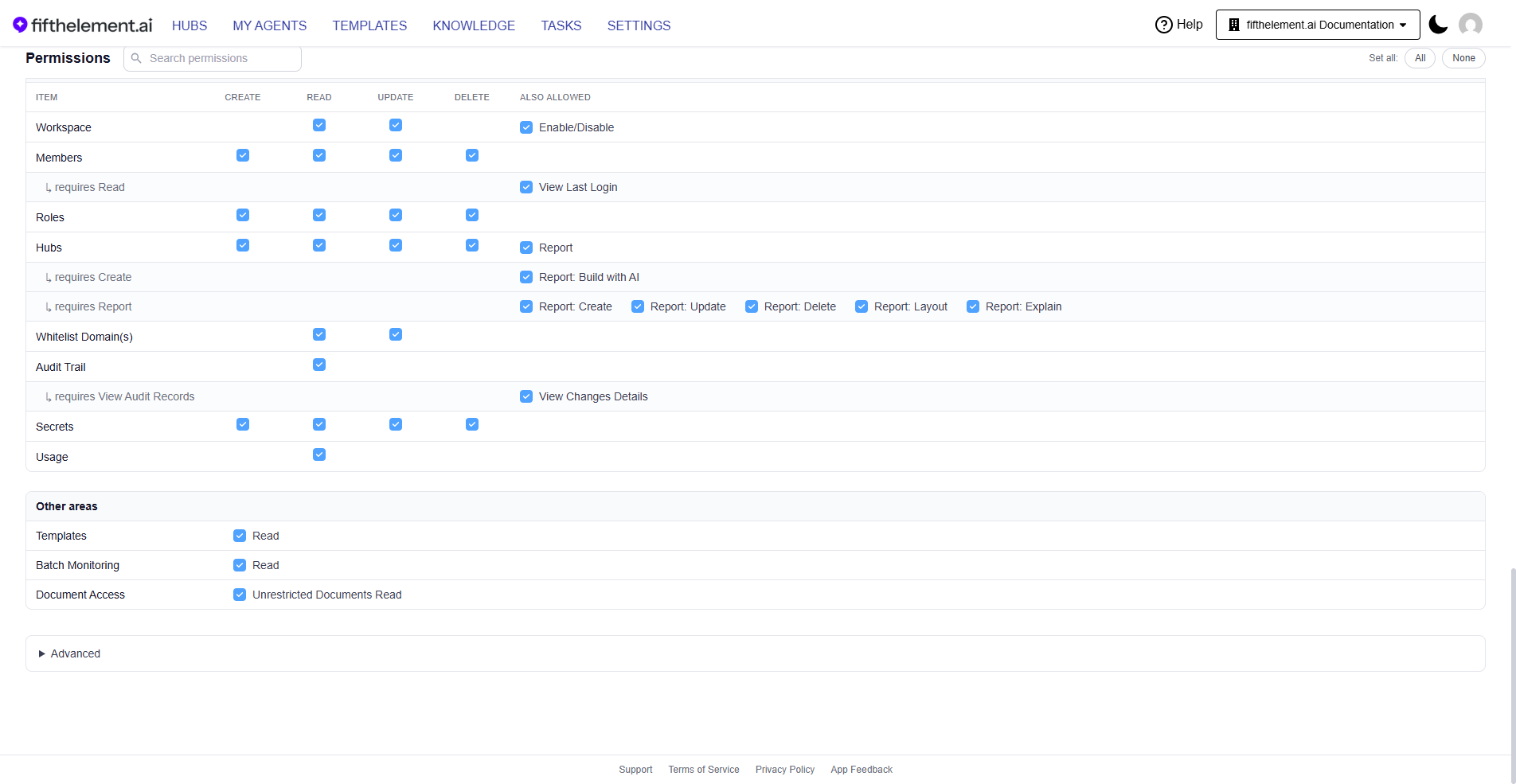
Role editor, Workspace section, with the Usage row and its Read right.
Platform keys
Platform administrators have a matching Platform Keys Usage page in the admin console for the keys behind the platform's shared global models.
Related Topics
- Credentials — several keys per credential, caps and spend per key
- Tasks — task spend
- Batch Models — batch cost
- Conversations — cost per turn in Debug info
- RBAC & Roles