Credentials
Create and manage API credentials for connecting to AI model providers, speech services, search engines, and other external integrations.
Overview
Credentials store the API keys and authentication details needed to connect the fifthelement.ai platform to external services. Once a credential is configured, it becomes available for selection when setting up language models, batch models, ASR/TTS models, realtime voice models, embeddings, and tools.
Credentials are managed at the workspace level under Settings > Security & Access > Credentials.
Workspace Secrets
You can reference workspace secrets in credential fields and tool configurations using {{SECRETS.KEY}} syntax.
Managing Credentials
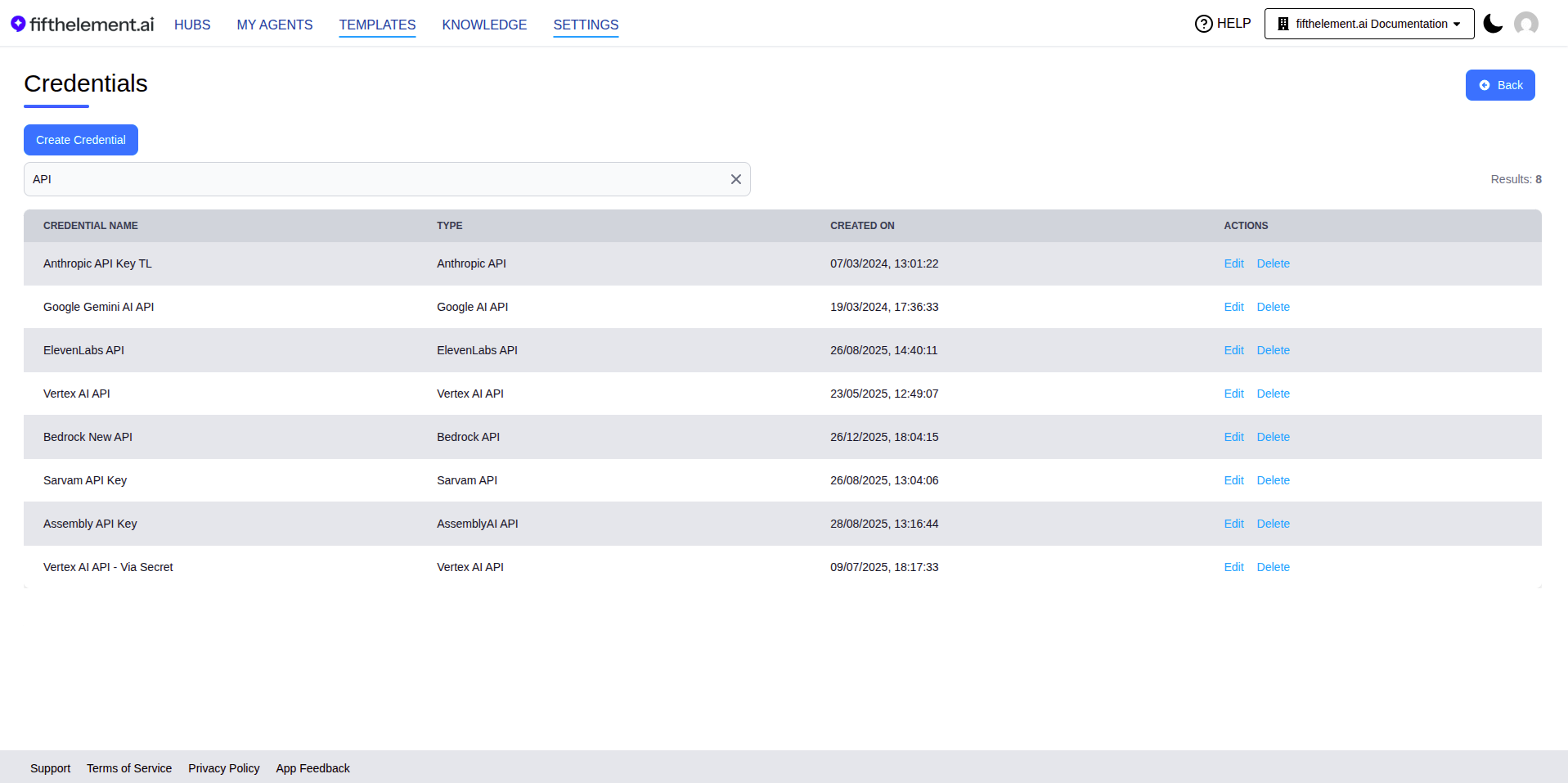
The Credentials page displays all configured credentials with:
| Column | Description |
|---|---|
| Credential Name | The name you assigned to the credential |
| Type | The provider type (e.g., OpenAI API, Azure OpenAI API) |
| Created On | Date and time the credential was created |
| Actions | Edit or Delete the credential |
Use the Search field to filter credentials by name.
Adding a Credential
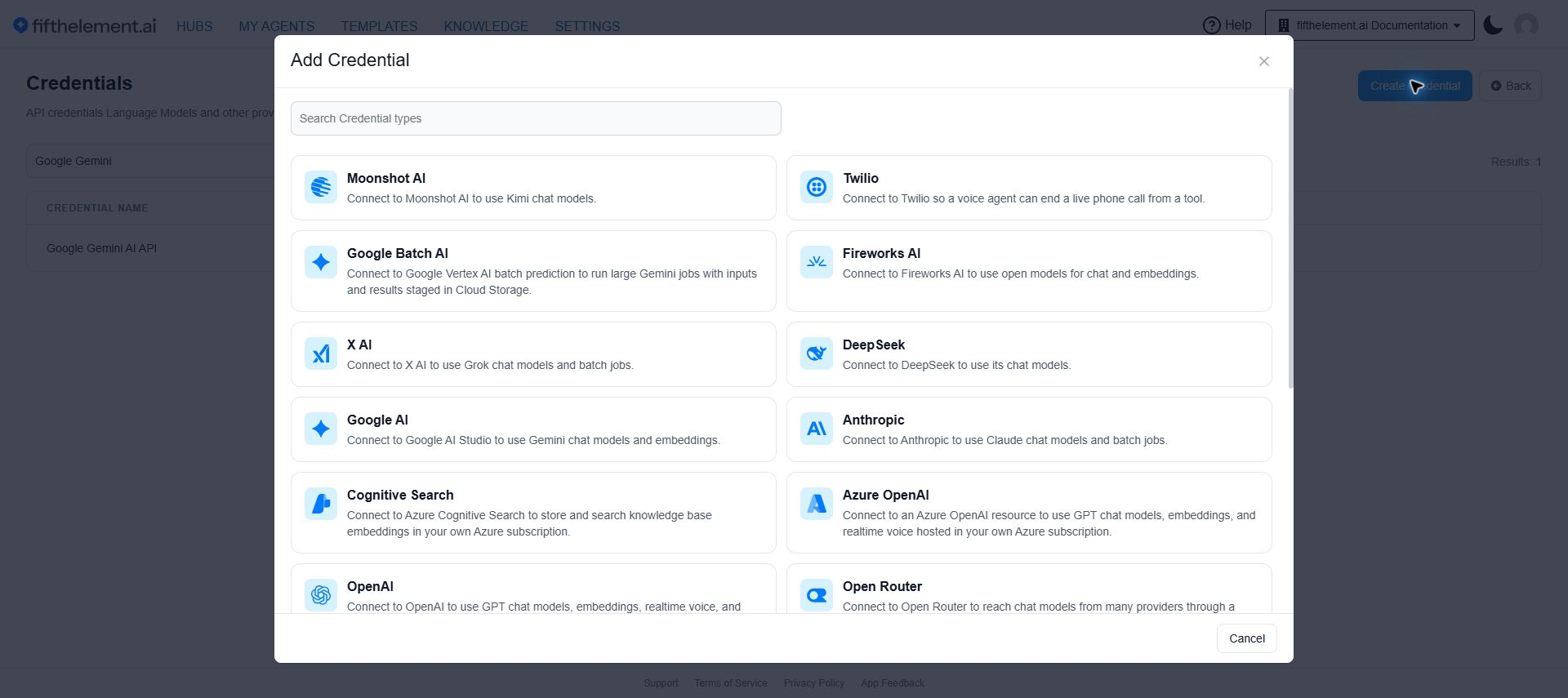
- Navigate to Settings > Security & Access > Credentials
- Click "Create Credential"
- Search for and select a credential type from the chooser
- Fill in the required fields (varies by provider)
- Click "Save"
Supported Providers
The Add Credential chooser provides these types. Existing credentials can retain older types that are no longer offered for new setup.
| Provider | Used For |
|---|---|
| Moonshot AI | Kimi chat models |
| Twilio | Ending a live phone call through a voice-agent tool |
| Google Batch AI | Vertex AI batch prediction with Cloud Storage inputs and results |
| Fireworks AI | Chat and embeddings |
| X AI | Grok chat and batch jobs |
| DeepSeek | Chat models |
| Google AI | Gemini chat and embeddings |
| Anthropic | Claude chat and batch jobs |
| Cognitive Search | Azure-hosted knowledge base embeddings |
| Azure OpenAI | GPT chat, embeddings and realtime voice |
| OpenAI | GPT chat, embeddings, realtime voice and moderation |
| Open Router | Chat models through a shared provider endpoint |
| LiveKit Inference | Chat, transcription, speech and realtime models |
| Google Cloud | Speech-to-text and text-to-speech |
| ElevenLabs | Voice replies and transcription |
| Speechmatics | Transcription |
| Sarvam | Indic-language transcription and voice replies |
| Groq | Chat, transcription and speech |
| Azure Speech | Transcription and voice replies |
| AssemblyAI | Transcription |
Provider Configuration Examples
Each provider requires different fields. Below are examples for common providers.
Simple API Key Providers
Providers like Google AI, OpenAI, Anthropic, ElevenLabs, and others require:
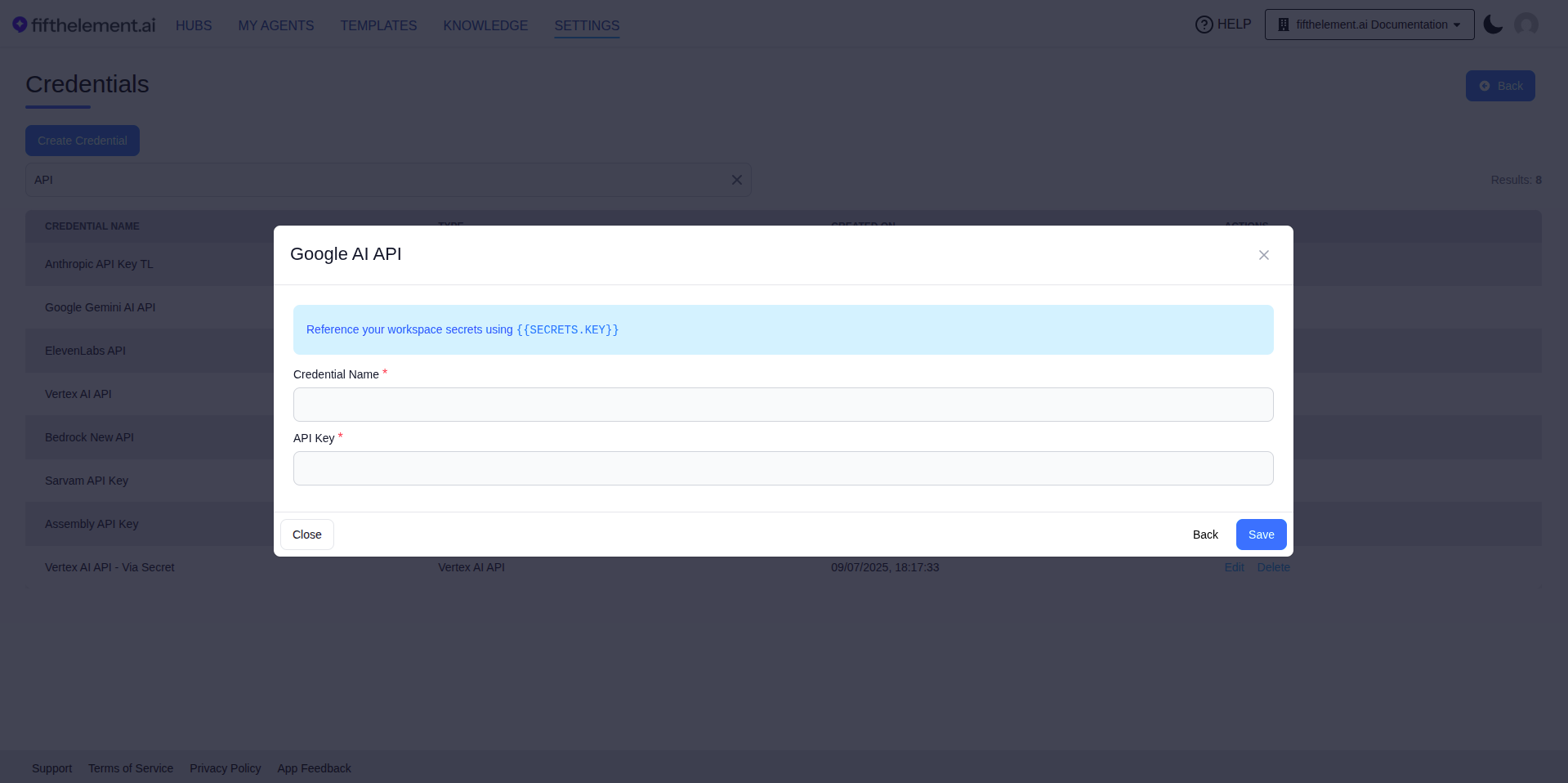
| Field | Required | Description |
|---|---|---|
| Credential Name | Yes | A descriptive name for this credential |
| API Key | Yes | The API key from the provider |
Azure OpenAI API
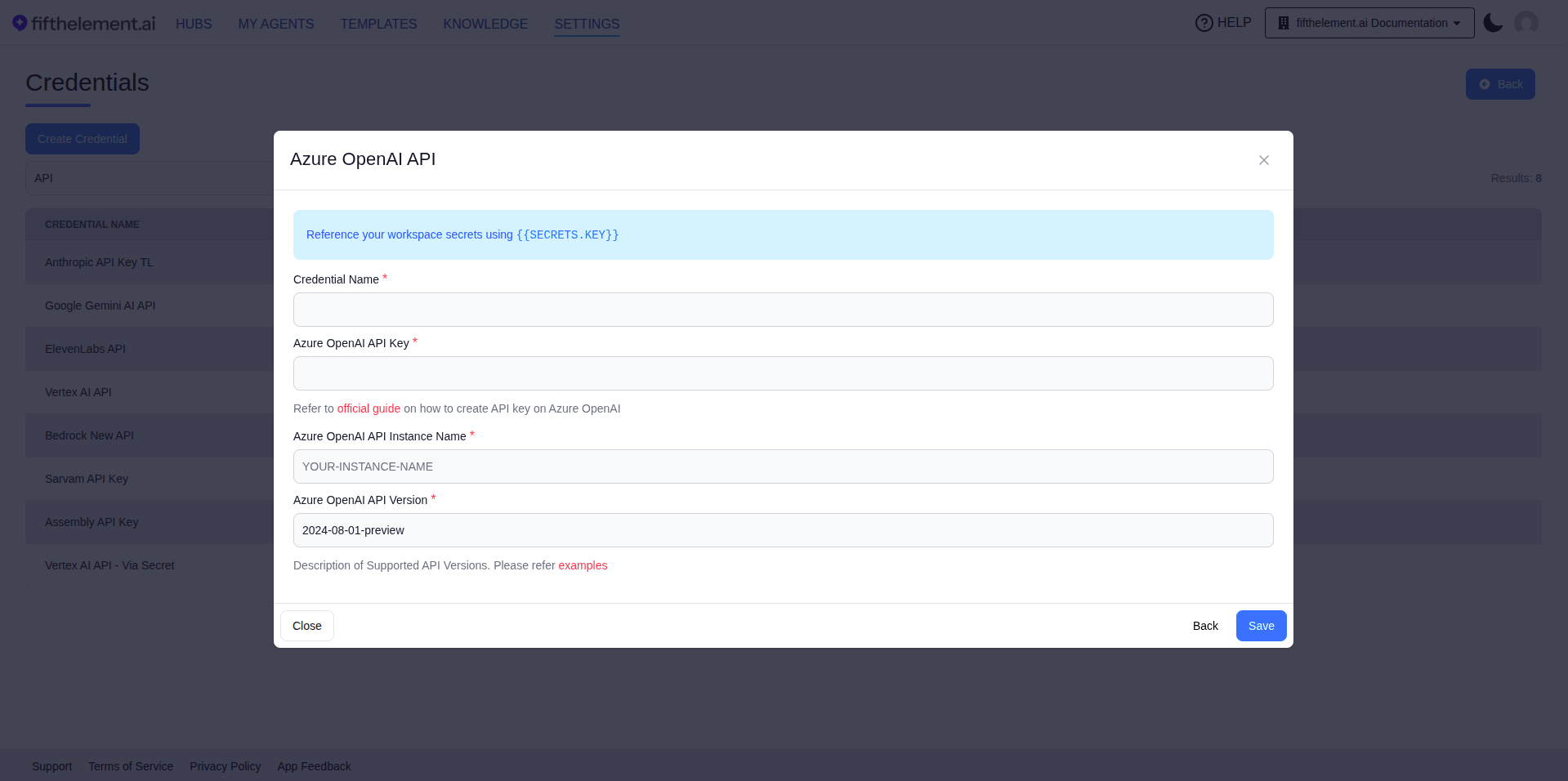
| Field | Required | Description |
|---|---|---|
| Credential Name | Yes | A descriptive name |
| Azure OpenAI API Key | Yes | Your Azure OpenAI API key |
| Azure OpenAI API Instance Name | Yes | Your Azure instance name (e.g., YOUR-INSTANCE-NAME) |
| Azure OpenAI API Version | Yes | API version with -preview suffix (e.g., 2024-08-01-preview) |
API Version
For batch models, use an Azure API version that includes the -preview suffix (minimum version: 2023-04-01-preview).
Vertex AI API
Existing Vertex AI credentials may still appear in the list. This type is not offered in the current Add Credential chooser. For new Gemini batch credentials, select Google Batch AI and follow that form's requirements.
LiveKit Inference API
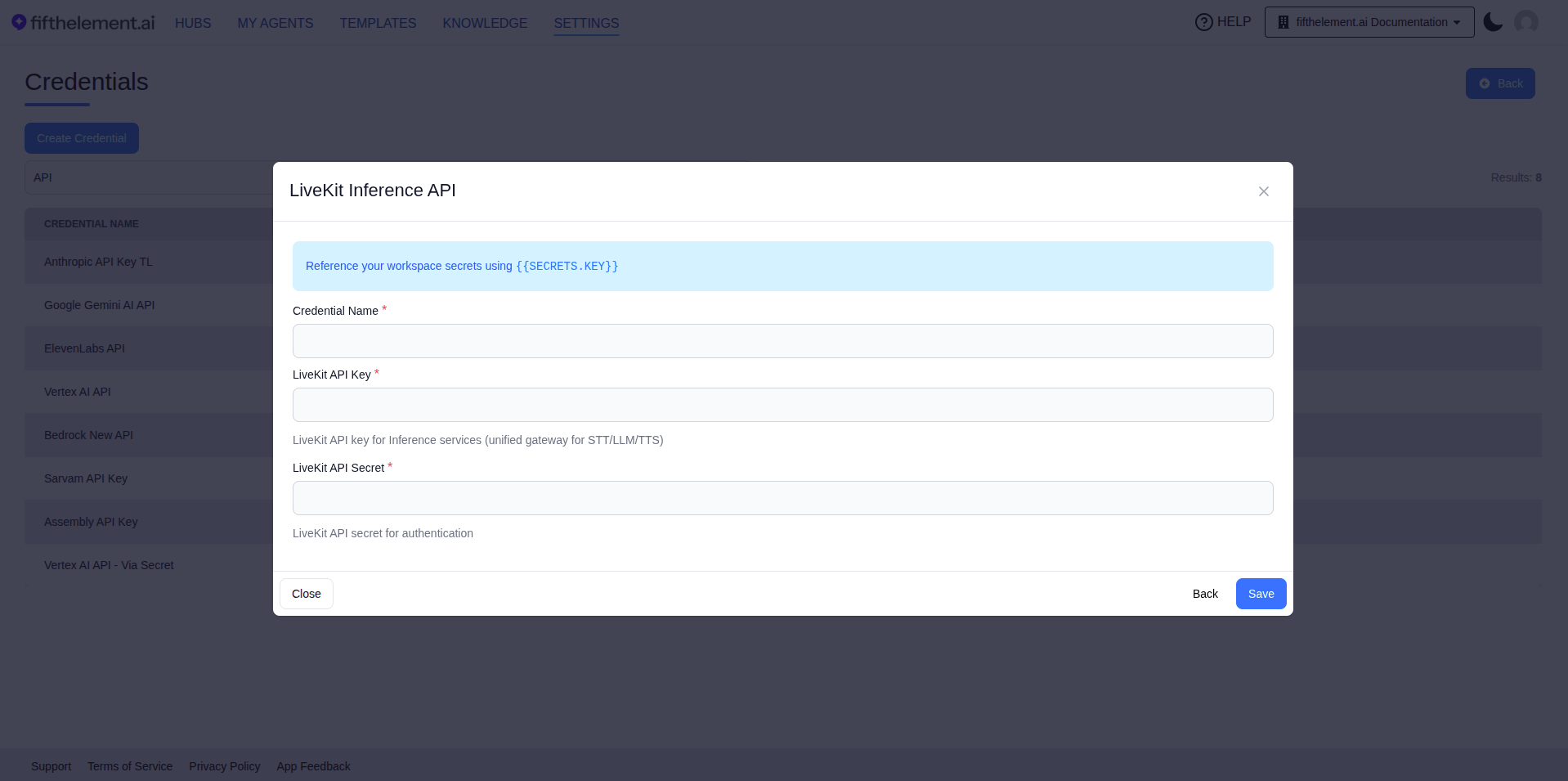
Unified gateway for accessing STT, LLM, and TTS services.
| Field | Required | Description |
|---|---|---|
| Credential Name | Yes | A descriptive name |
| LiveKit API Key | Yes | API key for LiveKit Inference services |
| LiveKit API Secret | Yes | API secret for authentication |
Using Credentials
Once configured, credentials are referenced when creating:
- Language Models — select a credential for the model provider
- Batch Models — select a credential via "Connect Credential"
- ASR Models — select a credential for speech-to-text providers
- TTS Models — select a credential for text-to-speech providers
- Realtime Voice Models — select a credential for realtime processing
- Embeddings — select a credential for embedding providers
- Tools — some tools (e.g., Salesforce, HubSpot) use credentials for authentication
Related Topics
- API Keys — Platform API keys for external access
- DLP Policies — Data loss prevention settings
- Back to Settings