API Keys
Generate and manage API keys for programmatic access to the fifthelement.ai platform.
Overview
The platform provides two types of API keys, each serving different use cases:
| Type | Identity | Use Case |
|---|---|---|
| User API Keys | Personal — tied to your user identity. Actions performed inherit your full permissions | Personal automation, testing, individual integrations |
| Workspace API Keys | System-level — authenticate as the workspace itself, paired with a dedicated Service Account. Independent of any individual user | External integrations (email connectors, CRM webhooks, service-to-service calls) where over-privileged user-scoped tokens are a risk |
Both are managed under Settings > Security & Access.
User API Keys
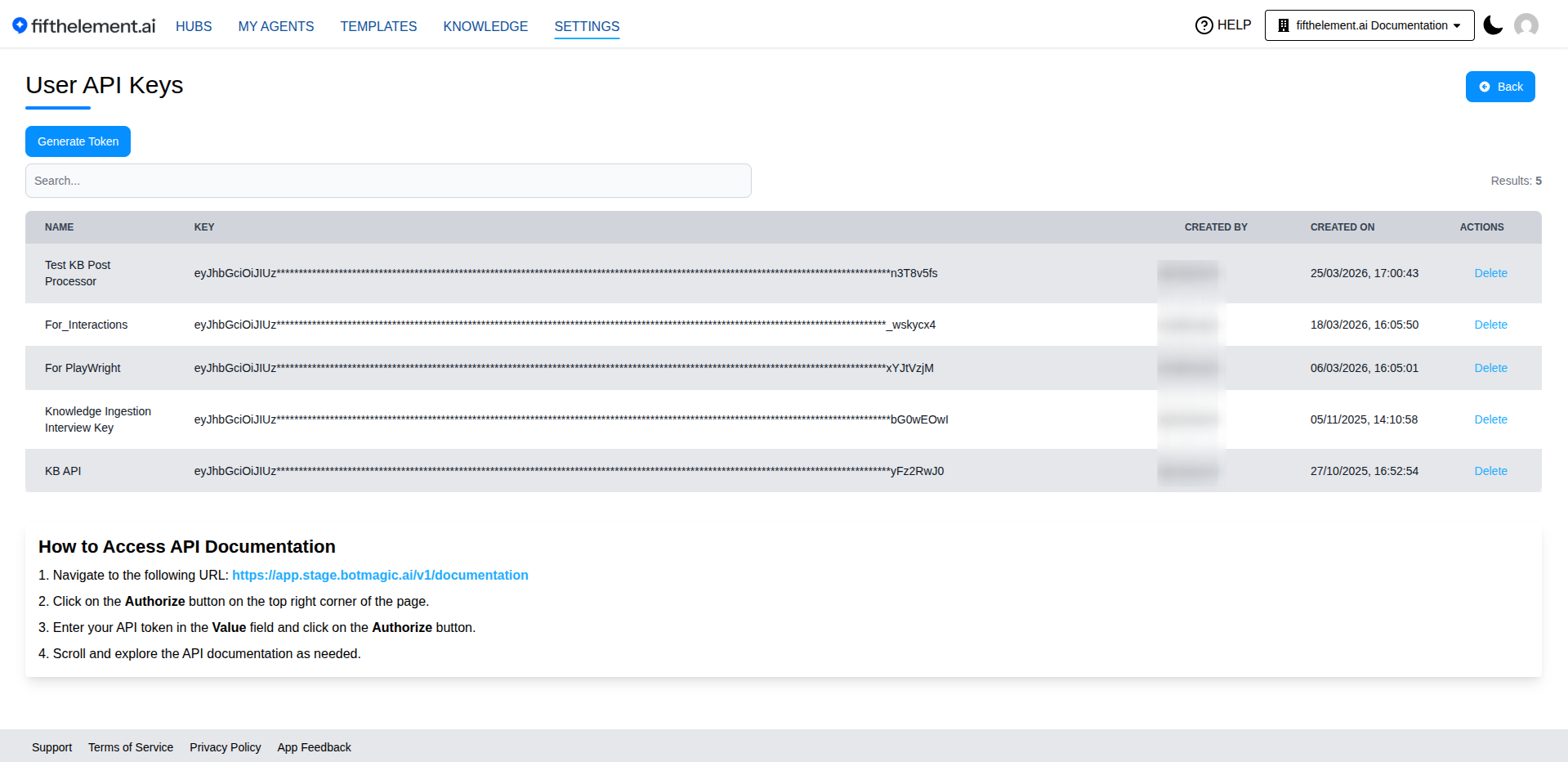
User API Keys are personal keys tied to your user identity. Any action performed with a User API Key uses your permissions — the same access level you have when using the platform UI.
Managing User API Keys
- Navigate to Settings > Security & Access > User API Keys
- Click Generate Key to generate a new key
- Store the generated key securely.
The list includes Source, Bound to, and Last Used, with Regenerate Key and Delete actions. Use the MCP Connections link to manage MCP connections separately.
Security
Treat API keys like passwords. Do not share them or commit them to source control. If a key is compromised, delete it immediately and create a new one.
Workspace API Keys
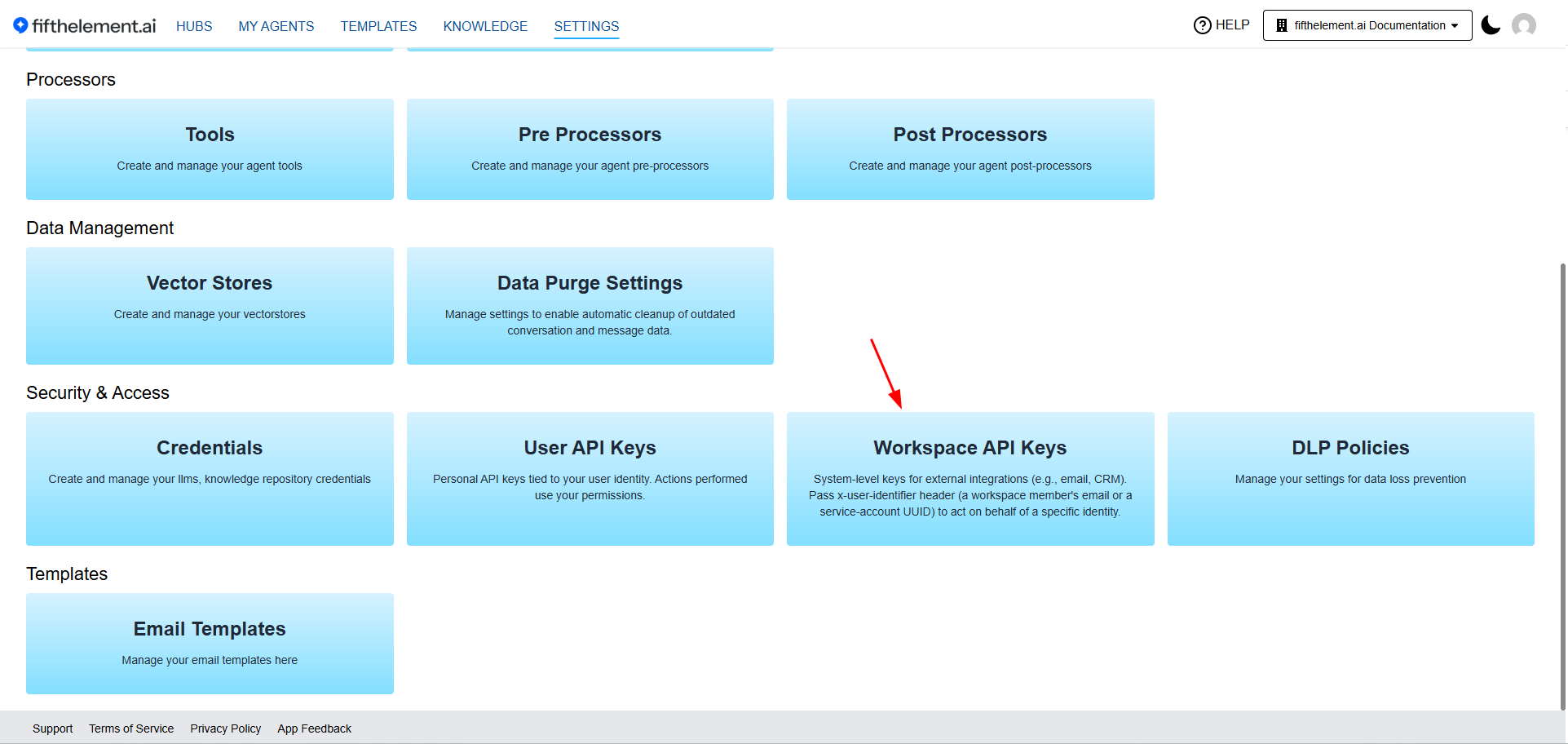
Settings → Security & Access → Workspace API Keys card
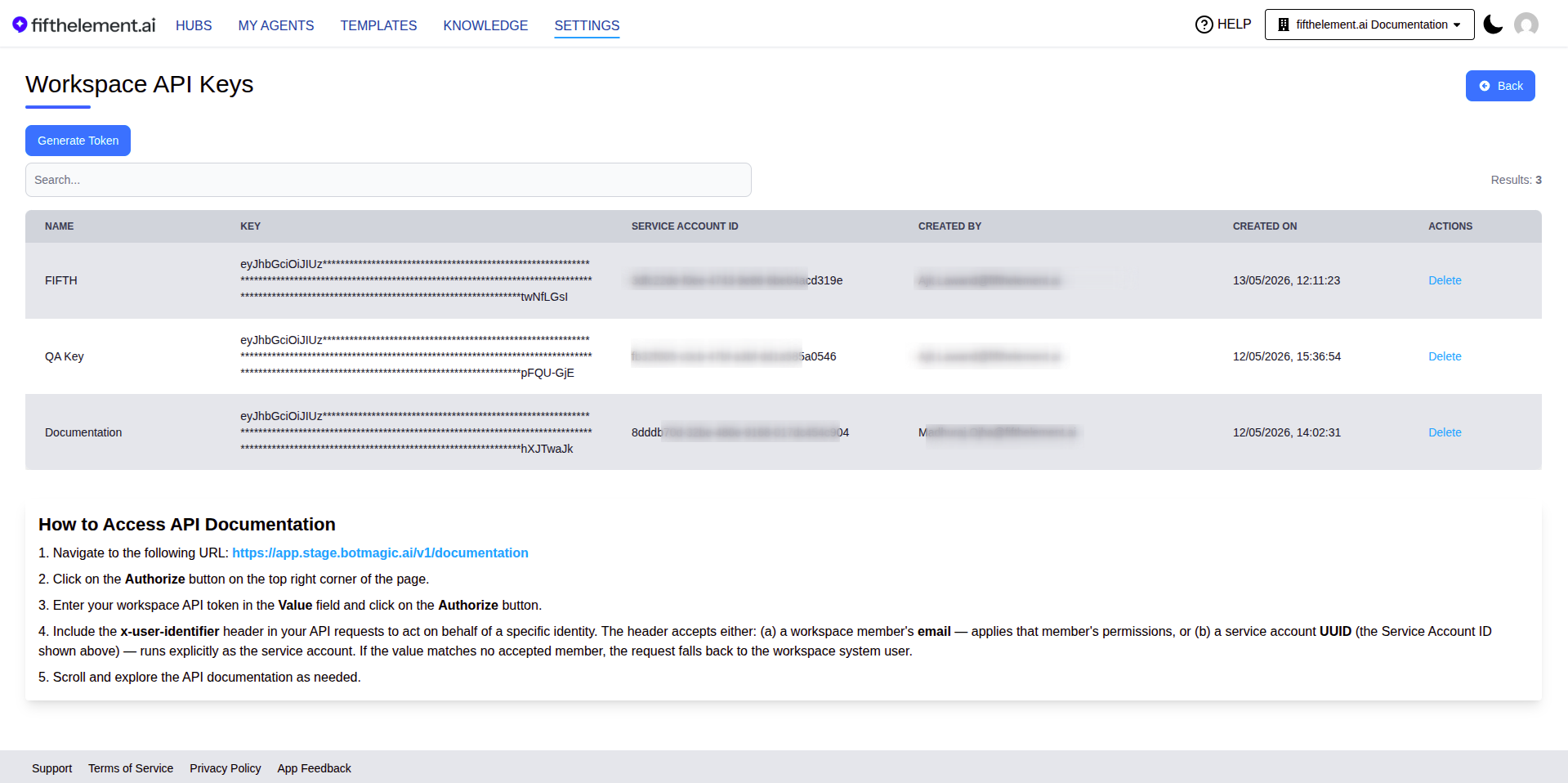
Workspace API Keys management page — list of generated keys with Name, Key (masked), Service Account ID, Created By, Created On, and Delete action. The How to Access API Documentation panel below the list documents the x-user-identifier header usage
Workspace API Keys are system-level API tokens designed for external integrations that should not inherit a specific user's full privileges. Each generated key is paired with a dedicated Service Account identity that shows up on the workspace Members page and can be referenced explicitly via the x-user-identifier header.
Key Capabilities
- System-level identity — Workspace API Keys authenticate as the workspace itself, not as the user who created the token. This removes the over-privileged access problem inherent to user-scoped JWTs.
- Paired Service Account — Every generated key creates a dedicated Service Account (a UUID — the Service Account ID) that appears as a new entry on the workspace Members page, alongside human members.
- Default role — Workspace External — New service accounts are seeded with the dedicated Workspace External role purpose-built for API tokens: limited to read access on Knowledge Base documents. Admins can edit the role assignment (or document keys / hubs) from the Members page if broader access is required.
- Identity propagation via
x-user-identifier— Requests can include anx-user-identifierheader to act on behalf of a specific identity (see Acting on Behalf of an Identity). - RBAC + FGAC preserved — The platform's existing role-based and fine-grained access controls continue to apply on top of the resolved identity — no special carve-outs for system tokens.
Generating a Workspace API Key
- Navigate to Settings > Security & Access > Workspace API Keys.
- Click Generate Key.
- The Generate Workspace API Key modal displays:
- API Token — shown only once. Save it immediately. A dedicated Copy API Token button copies it to your clipboard.
- Service Account ID — the UUID of the paired service account. A dedicated Copy Service Account ID button is provided.
API Token Visible Only Once
The API Token is displayed only once on the generation modal. Save it to a secure secrets store immediately — if it is lost, you must generate a new token (and a new paired Service Account).
Service Account on the Members Page
Once a Workspace API Key is generated, its paired Service Account appears on the Members page (searchable by Service Account ID) with the Workspace External role assigned by default. Admins can edit the role assignment, document keys, or hub assignments inline if a different access profile is required.
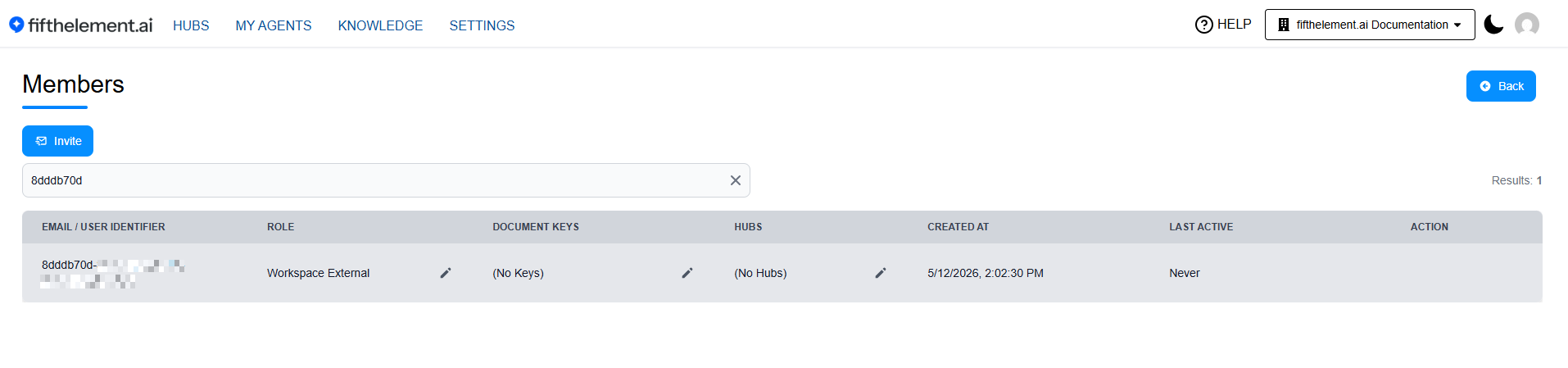
Members page filtered to the Service Account UUID — Workspace External role assigned by default, Last Active shows "Never" until the token is first used
See Workspaces — Members for member management details.
Acting on Behalf of an Identity
When using a Workspace API Key, include the optional x-user-identifier header to act on behalf of a specific identity:
x-user-identifier value | Resolved Identity | Permissions Applied |
|---|---|---|
| Accepted member email in the token’s workspace | That matched workspace member | The member's role permissions |
| Service Account UUID | The service account explicitly | The Workspace External role (or whatever role the admin assigned to that service account) |
| (omitted or unmatched) | Workspace system user (fallback) | Workspace system user permissions |
The interactive API schema documents this as request identity selection. Validate the intended member and token workspace in your integration; an unmatched identifier follows the documented fallback rather than establishing that the intended user was selected.
Header Scope
x-user-identifier is honoured by Workspace API Keys only. It is ignored when using User API Keys or JWT-based session auth.
Using the Workspace API Key
- Open the API documentation URL provided on the Workspace API Keys page.
- Click Authorize and paste the generated API Token in the Value field.
- Include the
x-user-identifierheader in your requests when you need to attribute the call to a specific member or service account.
curl -X POST "https://PLATFORM-URL-PLACEHOLDER/v1/api/chat/your-agent" \
  -H "Authorization: Bearer YOUR_WORKSPACE_API_TOKEN" \
  -H "x-user-identifier: alice@example.com" \
  -H "Content-Type: application/json" \
  -d '{"message": "Hello"}'
API Key Permissions (RBAC)
Permission to view and manage Workspace API Keys is governed by RBAC and is enabled for the seeded Admin role by default. It can be granted to other roles as needed.
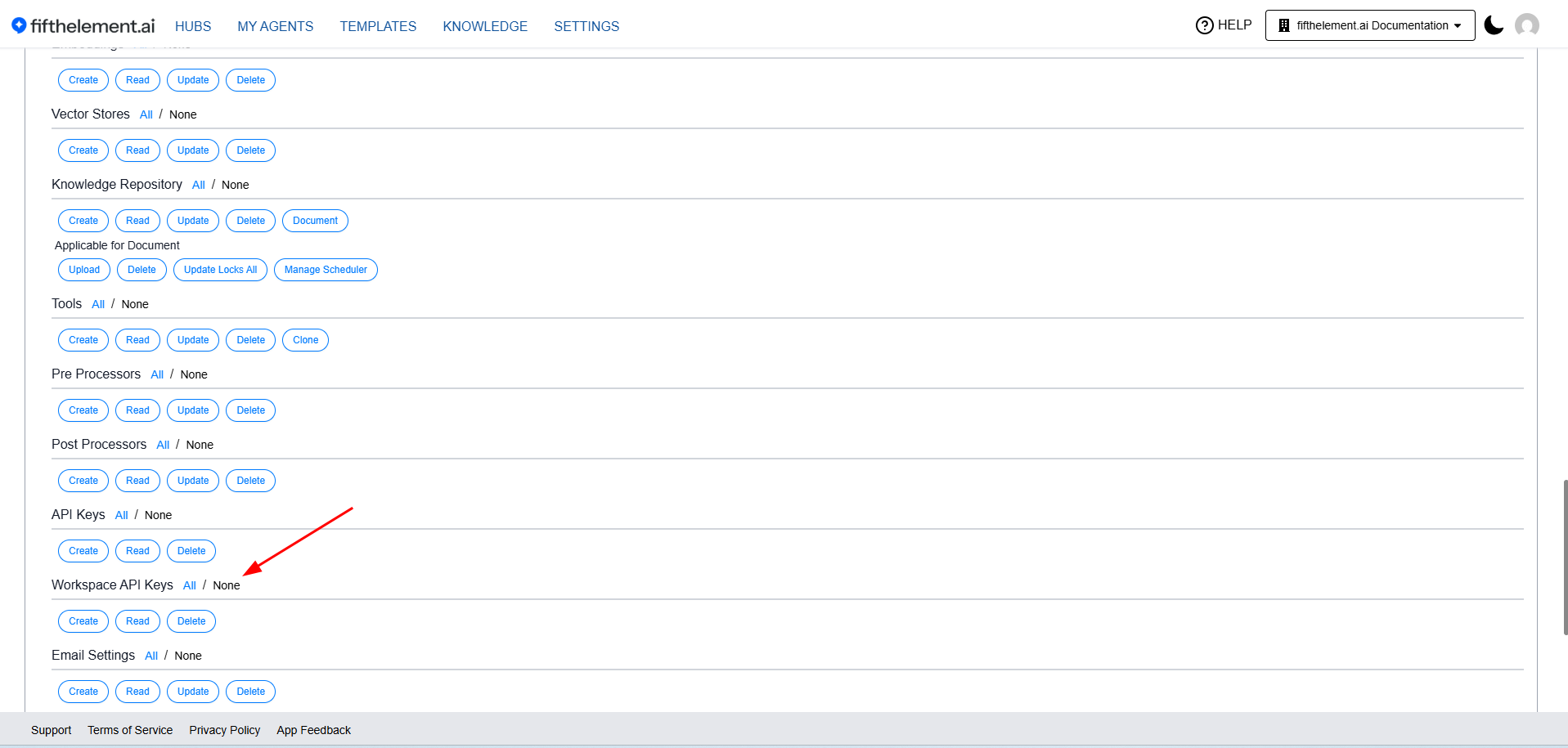
Admin role filtered to API Keys: both API Keys and Workspace API Keys grant Create, Read and Delete. Update does not apply.
| Permission | Scope |
|---|---|
| API Keys (User API Keys) | Create, Read, Delete |
| Workspace API Keys | Create, Read, Delete |
These permissions can be configured per role under Workspaces > Roles > Settings > API Keys / Workspace API Keys. See RBAC & Roles for details.
Using API Keys
API keys are used to authenticate requests to the Chat API, Document API, Repository API, and Jobs API.
For API usage details, see the API Documentation.
Related Topics
- Credentials — Provider API keys for AI model integrations
- API Documentation — API reference and usage
- RBAC & Roles — Configure API key permissions per role
- Workspaces — Members — Service Account visibility on the Members page
- Back to Settings