Post-Processors
Configure post-processors to analyze, summarize, and process conversations after user turns or when conversations expire.
Overview
Post-processors execute logic after the agent has responded — either after each user turn or when a conversation ends. They can analyze messages, generate summaries, ingest conversation transcripts into knowledge bases, and more.
Post-processors are categorized into two groups based on their execution trigger:
| Category | Trigger | Use Case |
|---|---|---|
| Turn Post-Processor | After every user turn | Real-time message analysis, tagging, sentiment tracking |
| Conversation Post-Processor | On conversation expiry or completion | Summaries, transcript ingestion, final actions |
Post-processors are configured at the workspace level under Settings > Processors > Post-Processors, then assigned to individual agents.
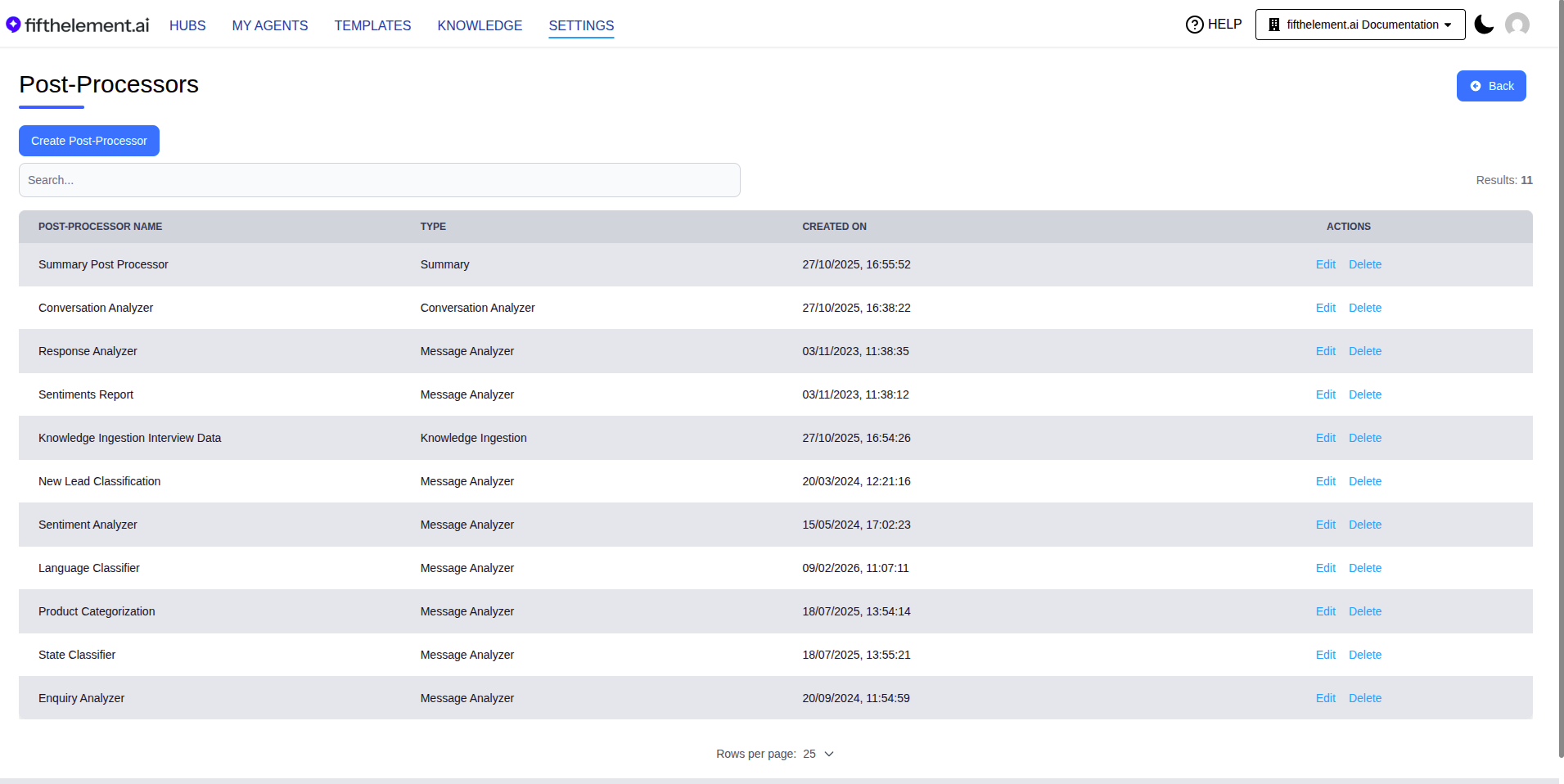
Available Types
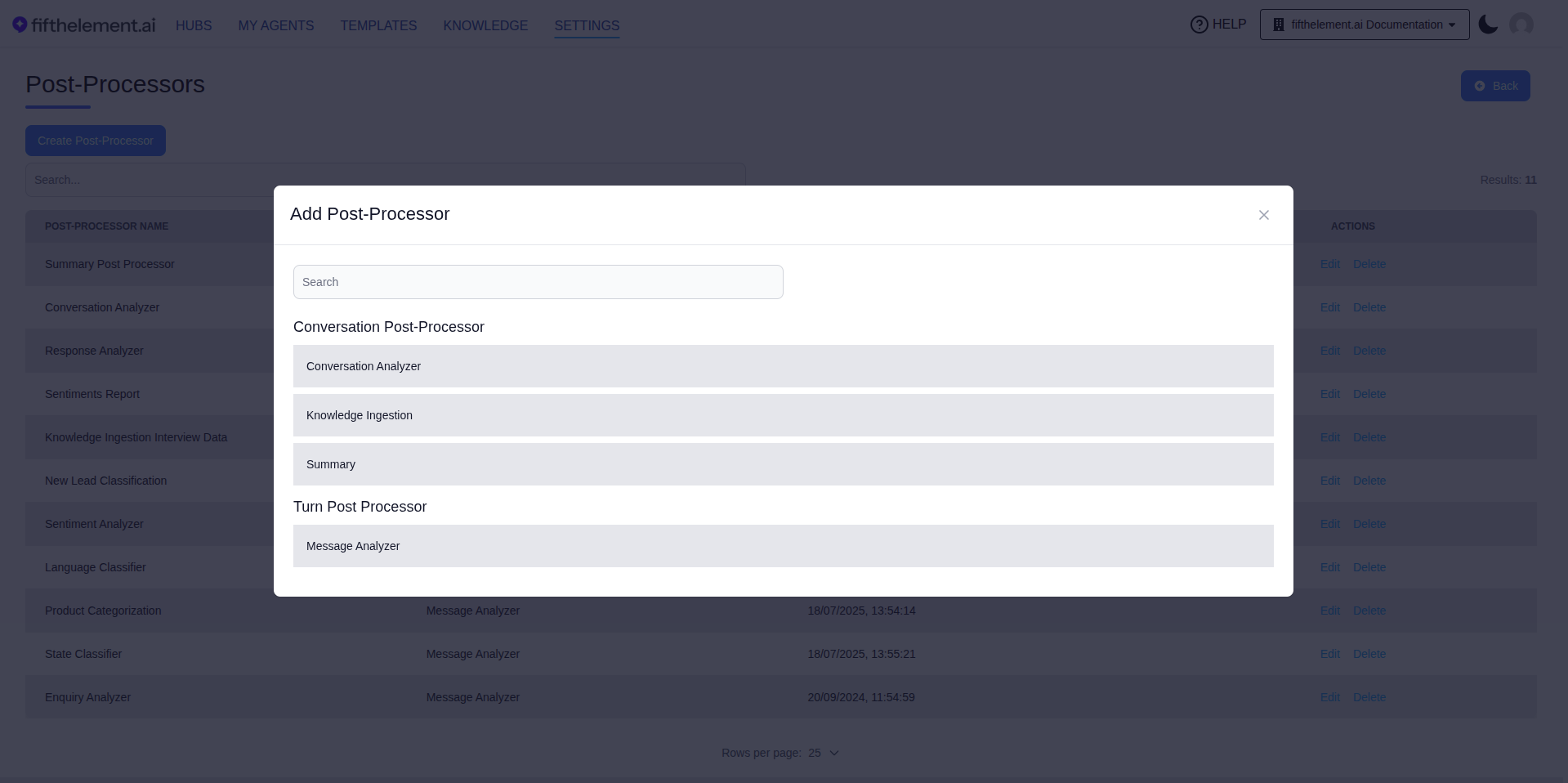
| Category | Type |
|---|---|
| Conversation Post-Processor | Analysis (After The Conversation), Knowledge Ingestion, Summary |
| Turn Post Processor | Analysis (After Each Turn) |
Turn Post-Processors
Turn post-processors execute after every user interaction (turn) within a conversation. They provide real-time analysis as the conversation progresses.
Analysis (After Each Turn)
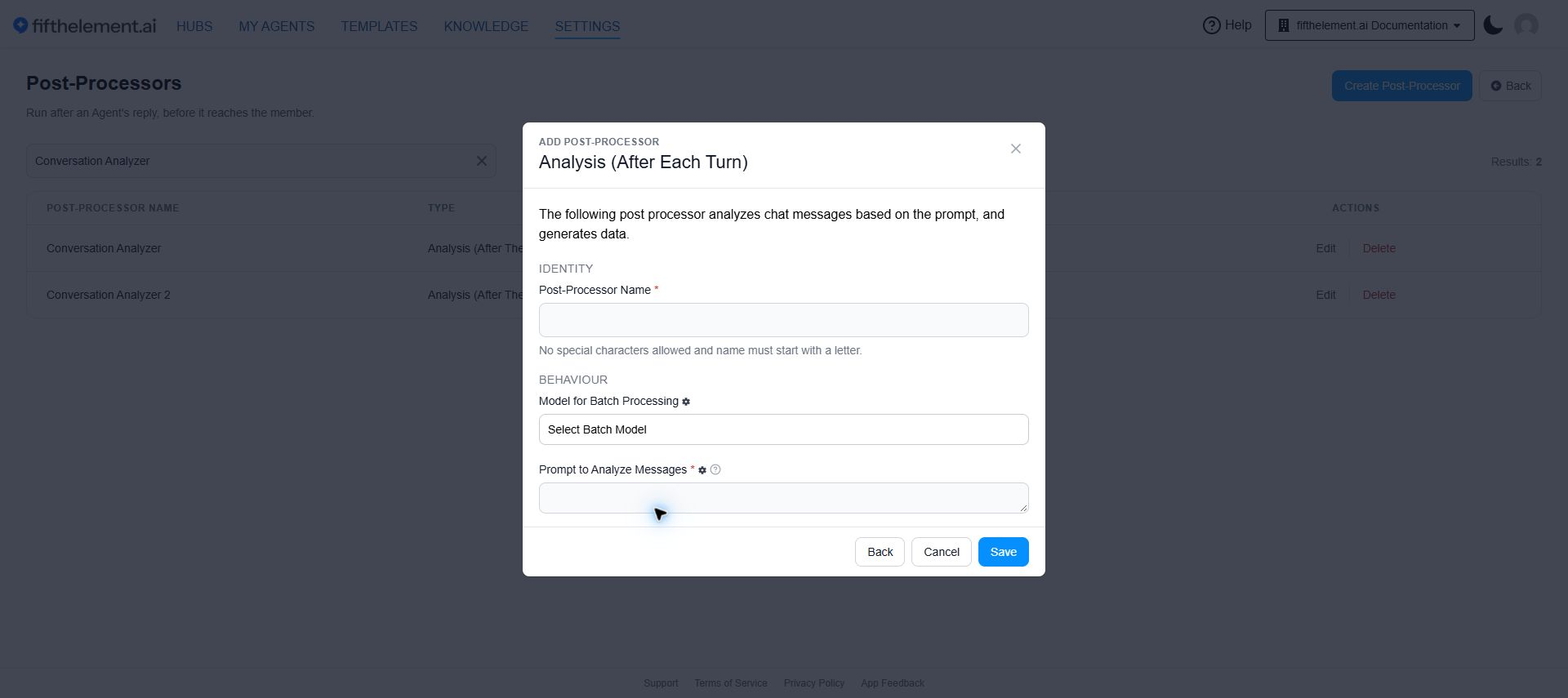
Analysis (After Each Turn) (previously called Message Analyzer) evaluates each message exchange and applies tags or analysis in real time.
| Field | Description |
|---|---|
| Post-Processor Name | Descriptive name for this analyzer |
| Model for Batch Processing | The model used for analysis. Required for the Re-Run capability |
| Prompt to Analyze Messages | Instructions for the analysis |
Batch Model Requirement
To enable the Re-Run capability for Analysis (After Each Turn) configurations, a Batch Model must be defined in its settings.
Conversation Post-Processors
Conversation post-processors execute when a conversation expires or completes. The expiry is controlled by the Conversation Inactivity Duration setting (default: 60 minutes) under the agent's Behavior Flags module.
Analysis (After The Conversation)
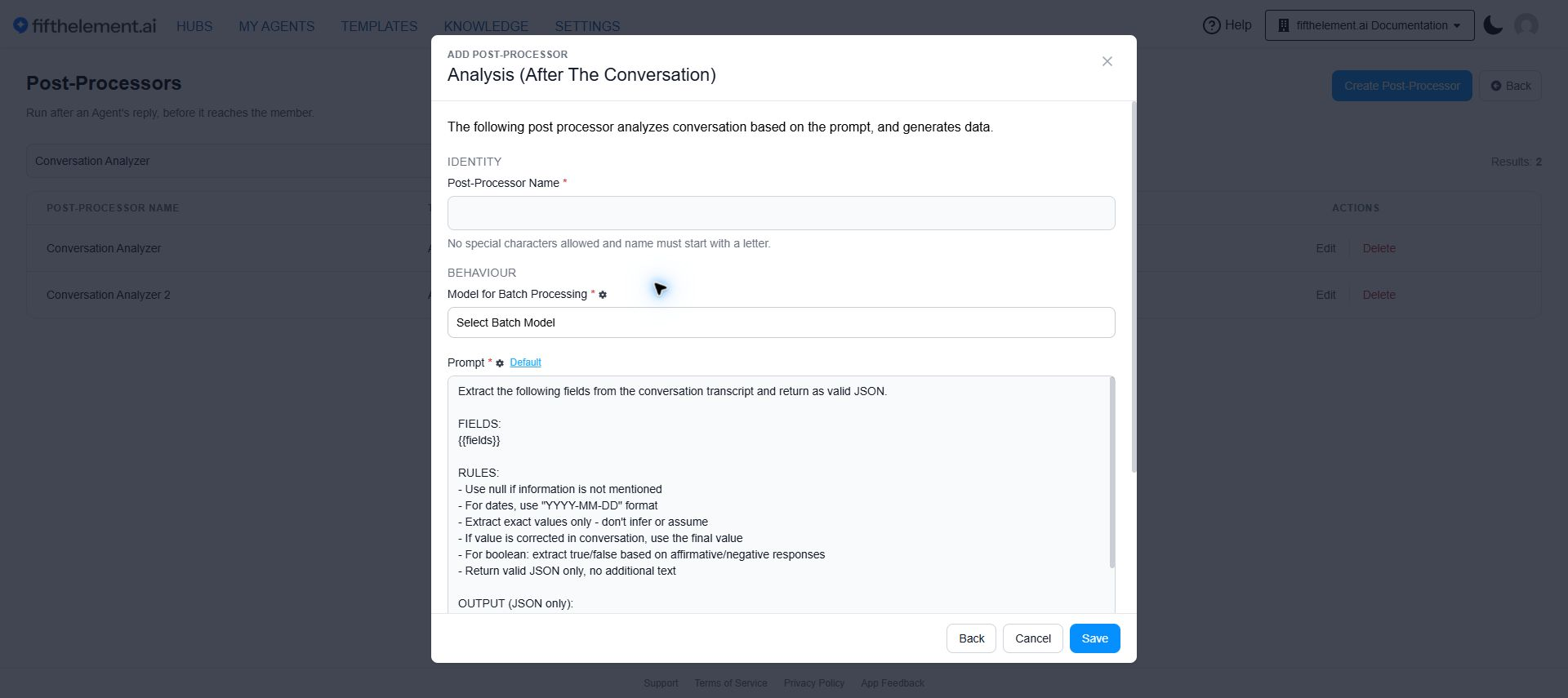
Select Analysis (After The Conversation) from Create Post-Processor. Name the processor, select the batch model, review the prompt, then scroll down to define the extraction fields before saving.
Analyzes completed conversations based on a prompt and extracts structured data as JSON. Useful for extracting key fields (names, dates, decisions) from conversation transcripts.
| Field | Required | Description |
|---|---|---|
| Post-Processor Name | Yes | Descriptive name for this analyzer |
| Model for Batch Processing | Yes | The batch model used to analyze the conversation |
| Prompt | Yes | The extraction prompt. Use {{fields}} placeholder — it is replaced with the fields defined in the Fields table below |
Default Prompt: The system provides a default prompt that instructs the model to extract fields as valid JSON, using null for missing values, YYYY-MM-DD for dates, exact values only (no inference), final corrected values, and true/false for booleans.
Fields Table:
Define the properties to extract from conversations:
| Column | Required | Description |
|---|---|---|
| Name | Yes | The field name (becomes the JSON key) |
| Type | Yes | Data type (string, number, boolean, date, etc.) |
| Description | Yes | Description of what to extract for this field |
Click "Add" to create additional fields.
Filter & Inspect Analyzer Outputs
Analysis (After The Conversation) outputs are usable at the individual-conversation level, not just in aggregate reports:
- Filter conversations by analyzer field/value via the Analysis option under Filters on the Conversations page (free text, contains-match, case-insensitive).
- Inspect every post-processor run on a conversation via the Analysis button on its detail view — status, extracted values, errors, and last-updated timestamps in one place.
Knowledge Ingestion
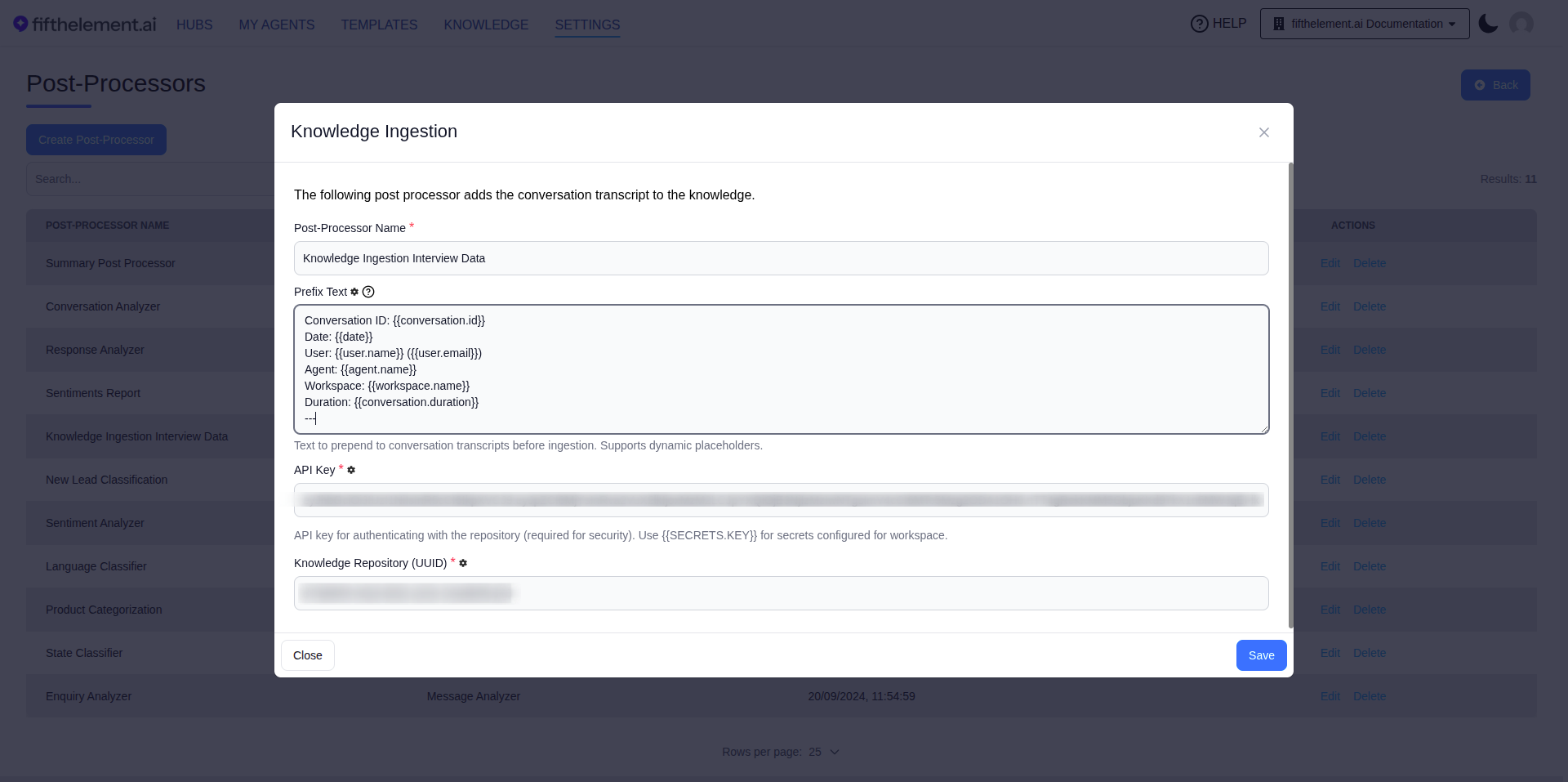
Automatically pushes the full transcript of expired or completed conversations to a defined Knowledge Base, enabling continuous learning and data enrichment.
Configuration:
| Field | Required | Description |
|---|---|---|
| Post-Processor Name | Yes | Descriptive name |
| Prefix Text | No | Text automatically prepended to transcripts before saving. Supports dynamic placeholders (see below) |
| API Key | Yes | API key for authenticating with the repository. Use {{SECRETS.KEY}} for secrets configured for the workspace |
| Knowledge Base (UUID) | Yes | The UUID of the destination knowledge base for conversation transcripts |
Supported Placeholders for Prefix Text:
| Placeholder | Description |
|---|---|
{{user.email}} | The authenticated user's email |
{{user.name}} | The authenticated user's name |
{{date}} | Timestamp of the conversation |
{{conversation.id}} | Unique conversation identifier |
{{conversation.duration}} | Total conversation duration |
{{agent.name}} | Name of the agent |
{{workspace.name}} | Name of the workspace |
Conversation Memory
Using prefix placeholders ensures stored conversations are fully searchable by user identity and date, transforming standard transcripts into actionable "user conversation memory."
Summary
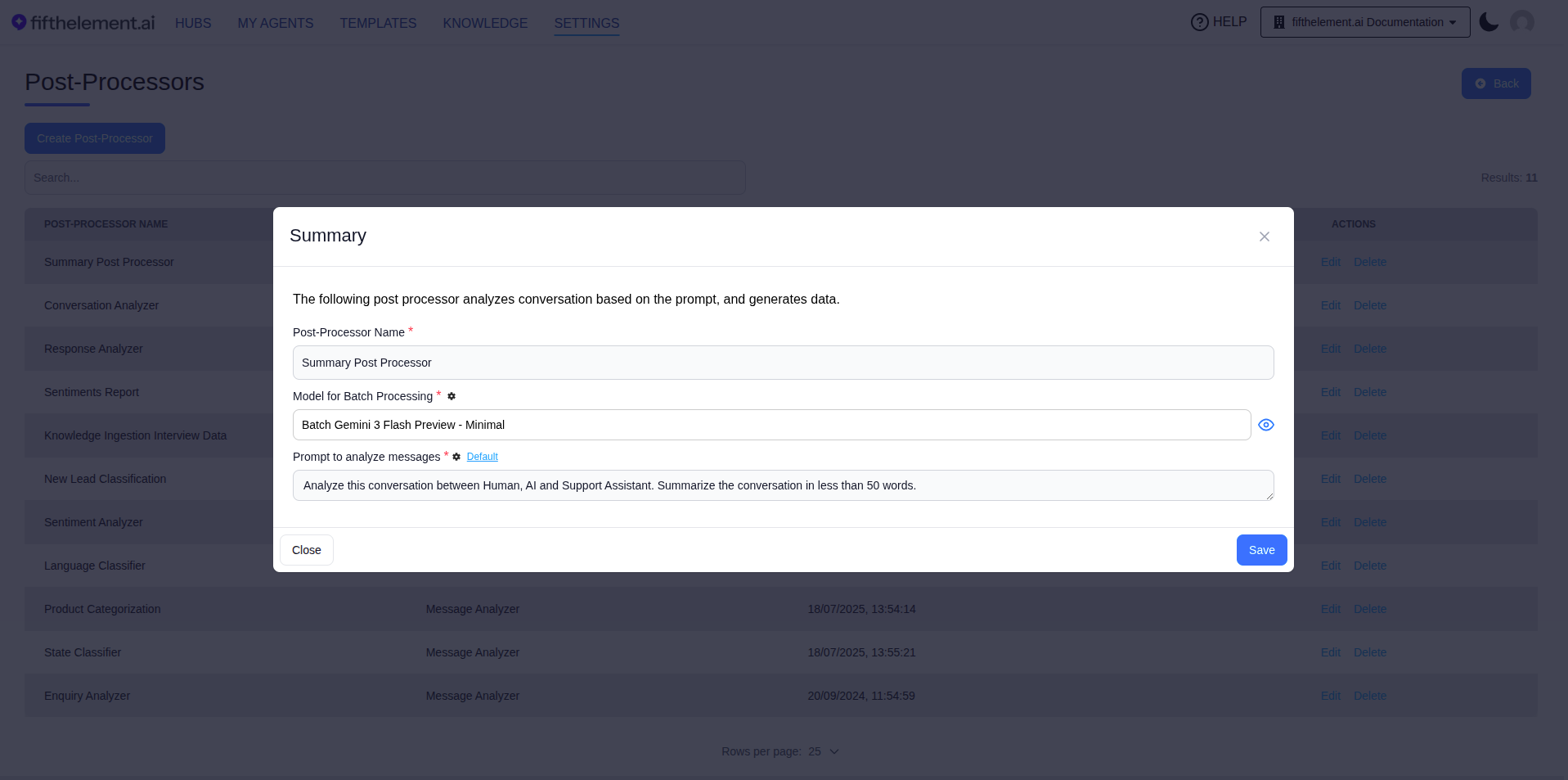
Analyzes expired or completed conversation transcripts and automatically generates a summary. Summaries can be viewed as a report on the agent reports dashboard.
| Field | Required | Description |
|---|---|---|
| Post-Processor Name | Yes | Descriptive name |
| Model for Batch Processing | Yes | The batch model used for summary generation |
| Prompt to analyze messages | Yes | The prompt used to analyze conversations. A Default link resets to the built-in prompt. Example: "Analyze this conversation between Human, AI and Support Assistant. Summarize the conversation in less than 50 words." |
Conversation Inactivity Duration
This setting controls when conversation post-processors trigger. Located under the agent's Behavior Flags module, it defines the duration of inactivity (in minutes) after which a conversation reaches a soft expiry.
- Default: 60 minutes
- When the inactivity duration is reached, all configured Conversation Post-Processors execute (soft expiry on the backend)
- If the user resumes the conversation later, the new message is appended to the existing context. The next time the conversation reaches the inactivity duration, post-processors re-run and update / overwrite the previously generated outcomes (summary, metadata, CRM updates) based on the newly accumulated context
- The chat input itself remains active — there is no hard, user-visible expiry. See Continuous Conversations
- Changing this value affects when summaries are generated and transcripts are ingested
Conversation Inactivity Message
Open Brain > Additional prompts, enable Conversation Inactivity Message, and enter the text. The current field help says the message is sent exactly as written when the conversation becomes inactive.
Use Behavior Flags > Conversation Inactivity Duration to review the inactivity interval. Do not treat inactivity as closure of the user conversation; see Continuous Conversations.
Manual Re-Run
Post-processors can be manually re-executed for all or selected conversations directly from the Conversation Monitoring screen.
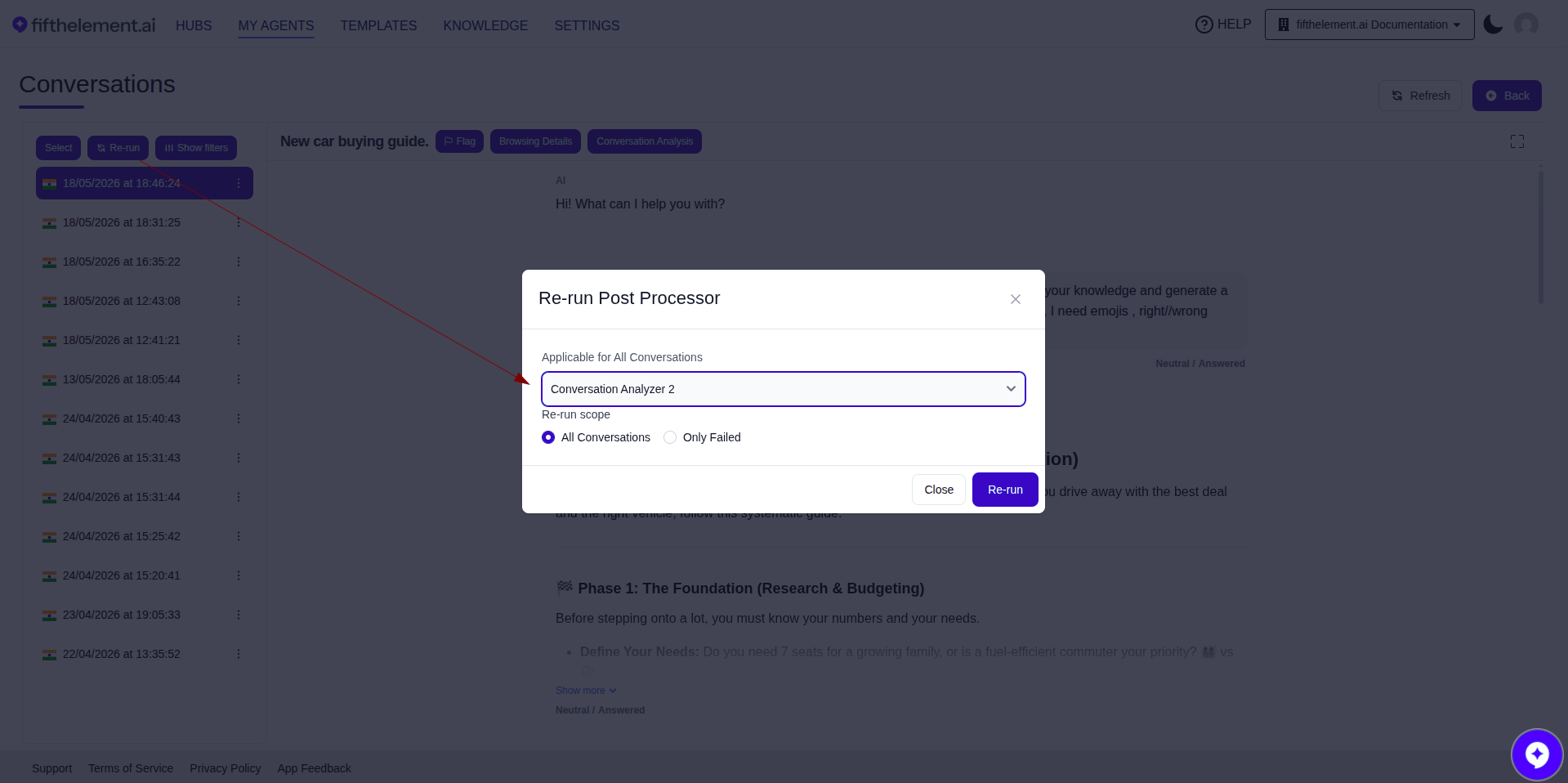
Conversations page — clicking Re-run opens the Re-run Post Processor modal: pick which post-processor to execute, then choose Re-run scope (All Conversations or Only Failed)
- Navigate to the agent's Conversations page
- Click the Re-run action in the toolbar (alongside Select and Show filters)
- In the Re-run Post Processor modal, pick the post-processor from the dropdown
- Choose the Re-run scope — All Conversations or Only Failed
- Click Re-run
Permission
The Re-Run Post Processor capability is controlled by a dedicated permission, enabled by default for Admin, Workspace Admin, and Supervisor roles.
Batch Monitoring
A centralized Batch Monitoring screen provides visibility into the status of all running batch processes within a workspace — including post-processor jobs.
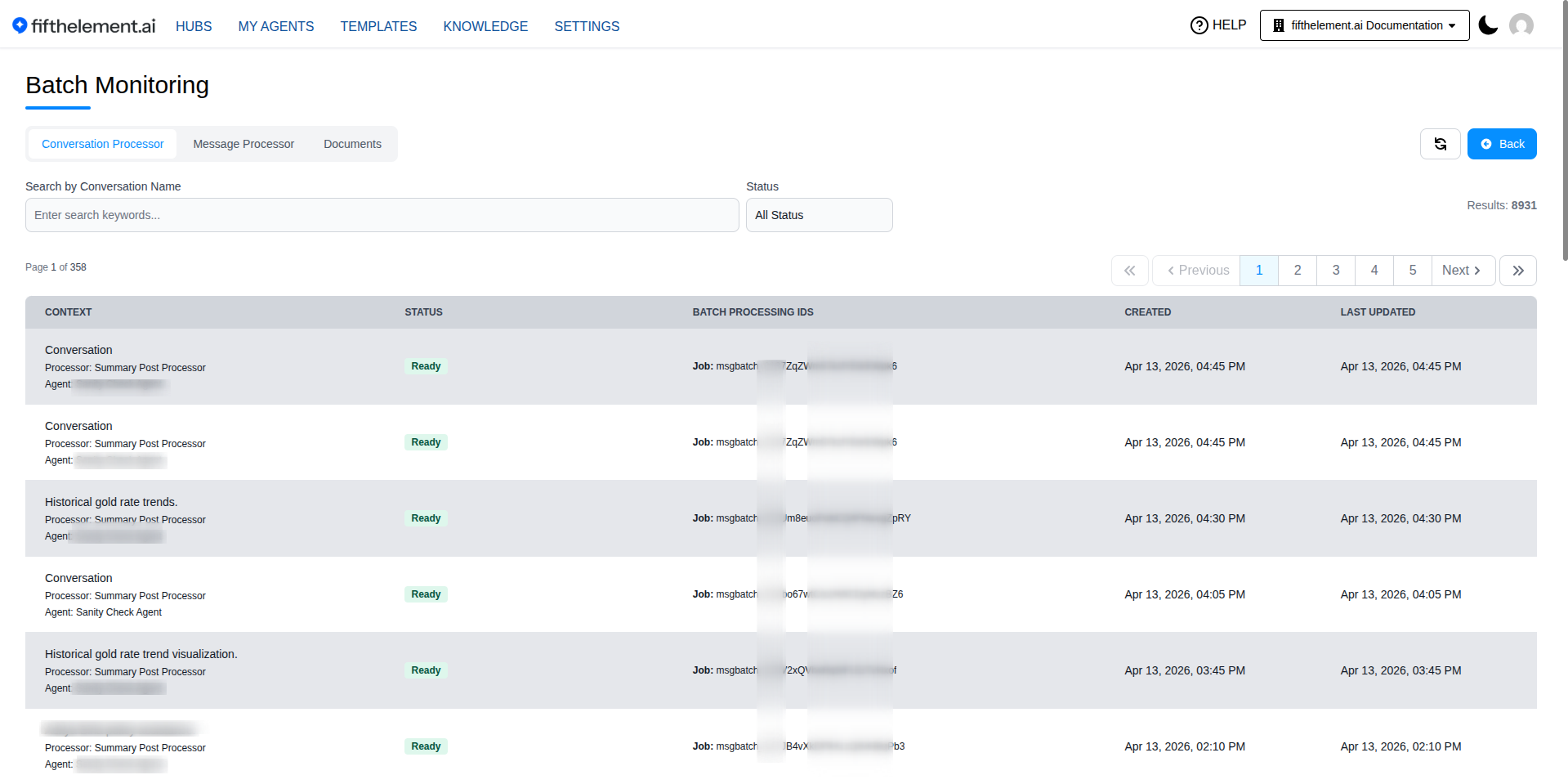
Access: Open Account menu > Batch Monitoring. Switch between Conversation Processor, Message Processor, and Documents, then use the search and status filters to inspect jobs.
Permission
Access to Batch Monitoring is permission-based, provided by default to Admin and Workspace Admin roles.
Related Topics
- Pre-Processors — Process user input before the agent responds
- Tools — Configure tools available to agents
- Agent Builder — Advanced Configuration — Assign post-processors and configure behavior settings
- Agent Reports — View summary reports generated by post-processors
- Back to Settings