Profile Types
Define the kinds of subjects agents keep memories about, and what is worth remembering about each.
Overview
A profile type tells capture what counts as a subject of that kind and which facts belong on it. Twelve types are built in; you can clone them or create your own. Open Settings > Memory > Profile Types.
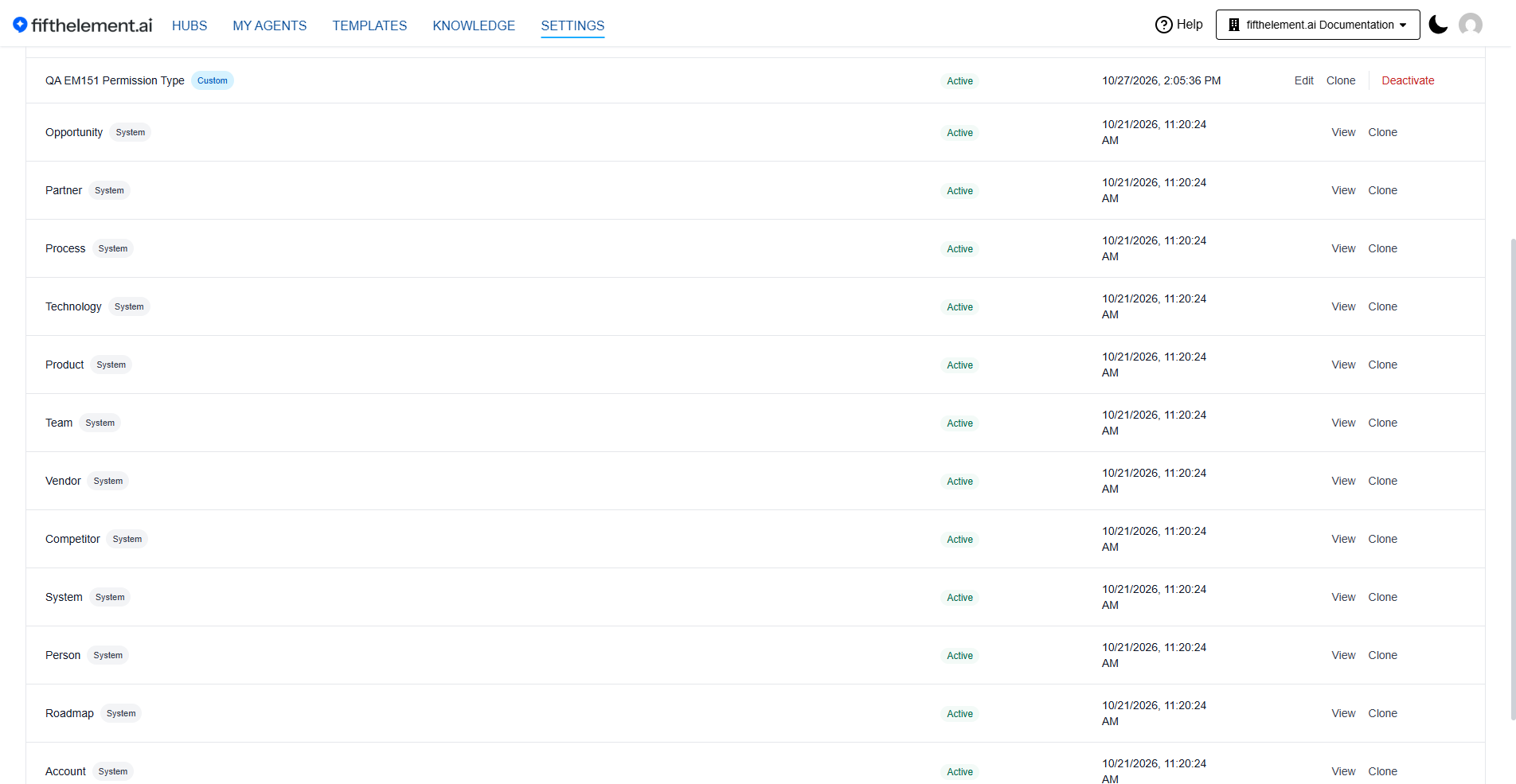
The Profile Types list. System types offer View and Clone; custom types offer Edit, Clone and Deactivate or Activate.
| Column | Description |
|---|---|
| Name | With a System or Custom badge |
| Status | Active or Inactive. Only custom types can be deactivated |
| Actions | System types: View, Clone. Custom types: Edit, Clone, Deactivate or Activate |
System Types
The built-in types are Account, Person, Opportunity, Partner, Process, Technology, Product, Team, Vendor, Competitor, System and Roadmap. They are read-only.
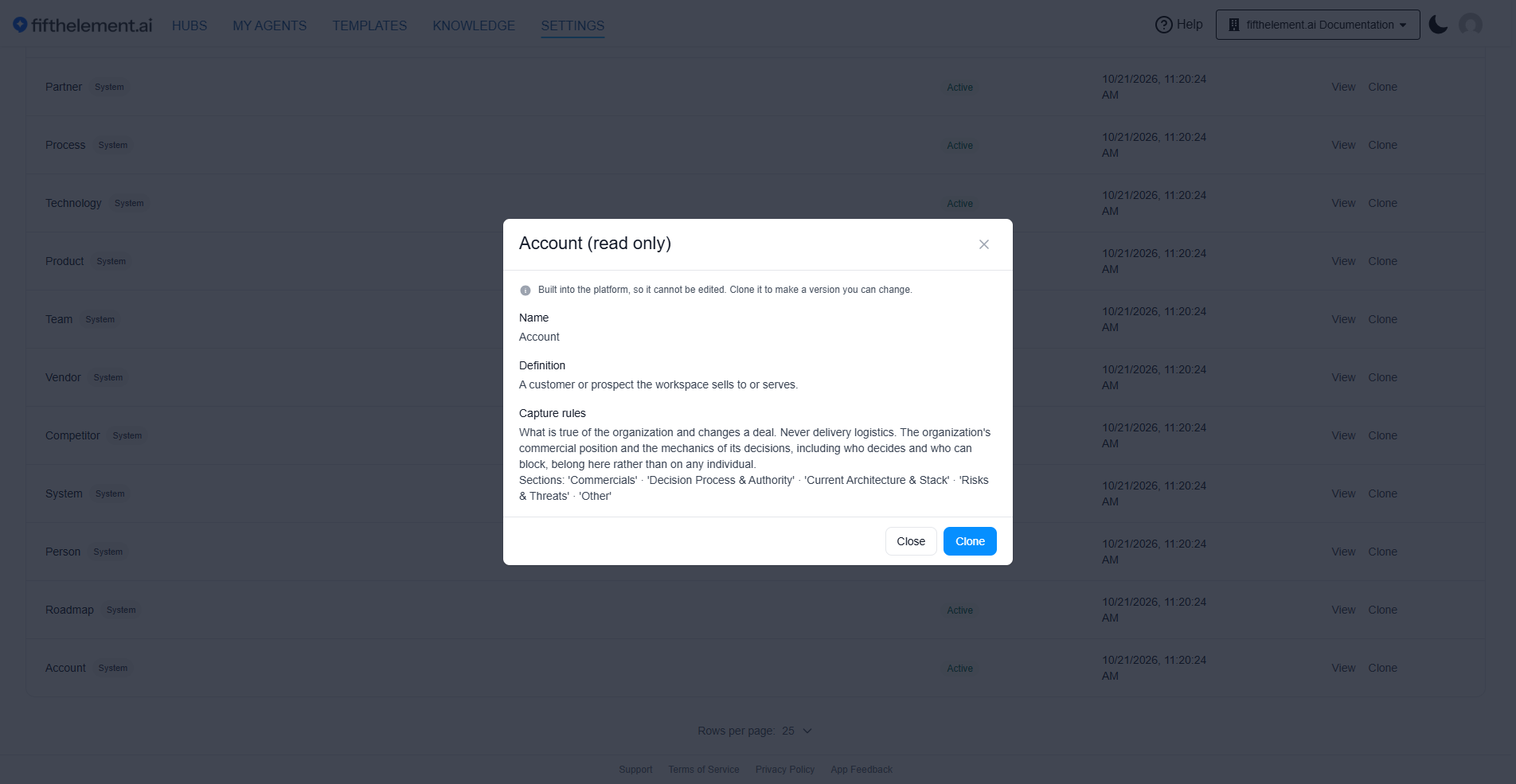
The read-only view of the Account type: its definition, its capture rules and the sections its memories are grouped under.
Click View to read a type's Definition and Capture rules, or Clone to make a version you can change.
Creating a Custom Type
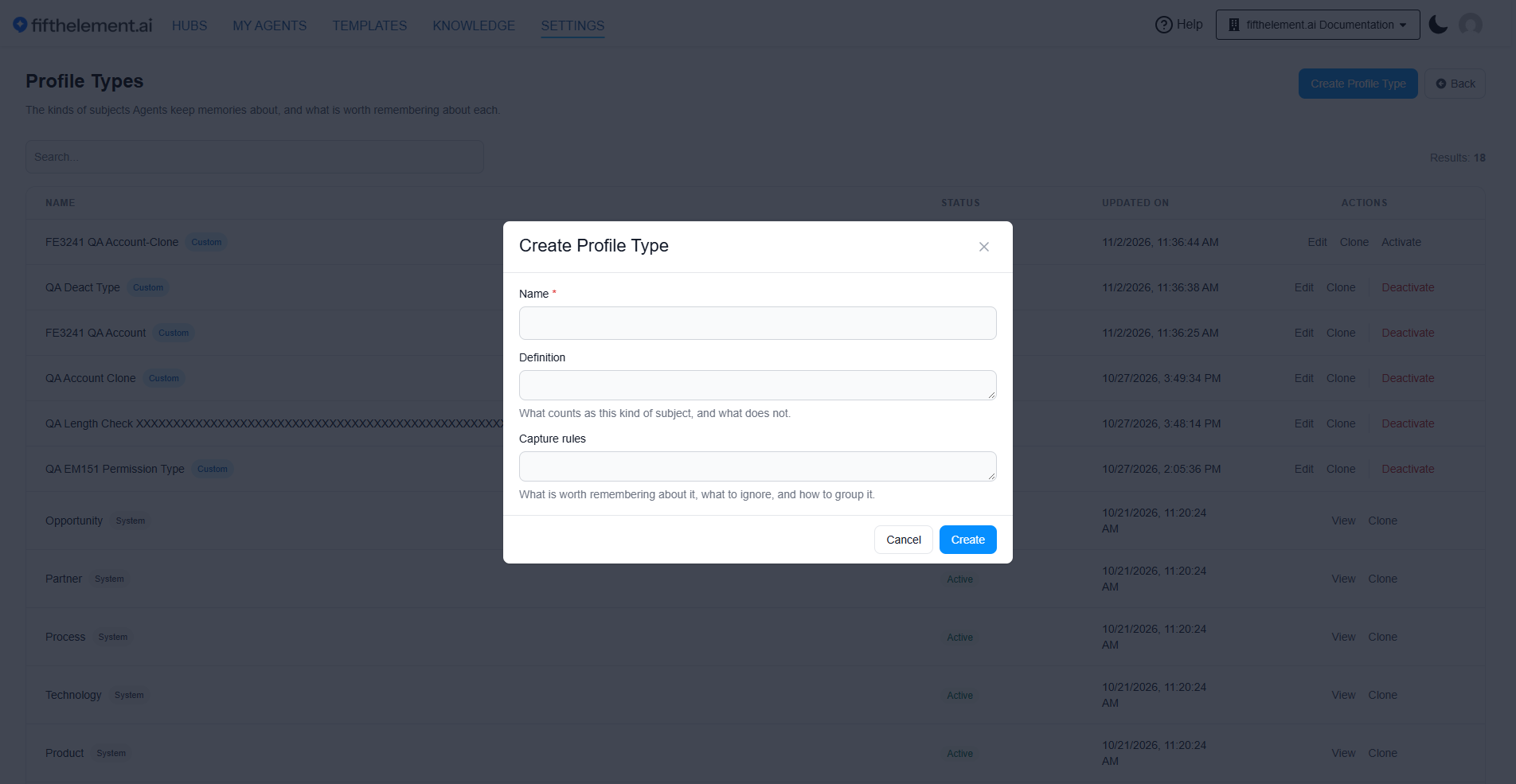
- Click Create Profile Type, or Clone an existing type
- Fill in the form and click Create
| Field | Required | Description |
|---|---|---|
| Name | Yes | Unique across system and custom types, regardless of case. Up to 100 characters |
| Definition | No | What counts as this kind of subject, and what does not. Up to 2,000 characters |
| Capture rules | No | What is worth remembering about it, what to ignore, and how to group it. Up to 2,000 characters |
A custom type becomes available in the Profile Types selector of the Entity Memory tool. Deactivate removes it from new captures without deleting existing profiles; Activate brings it back.
Related Topics
- Entity Memory - How agents read and write memory
- Memory Banks - Where profiles live
- Back to Settings