Memory Banks
Create the banks where agents keep what they learn, review and edit the profiles inside them, import profiles and let a daily pass tidy them.
Overview
A Memory Bank holds the profiles agents create as they learn. Agents that use the same bank share it. Open Settings > Memory > Memory Banks.
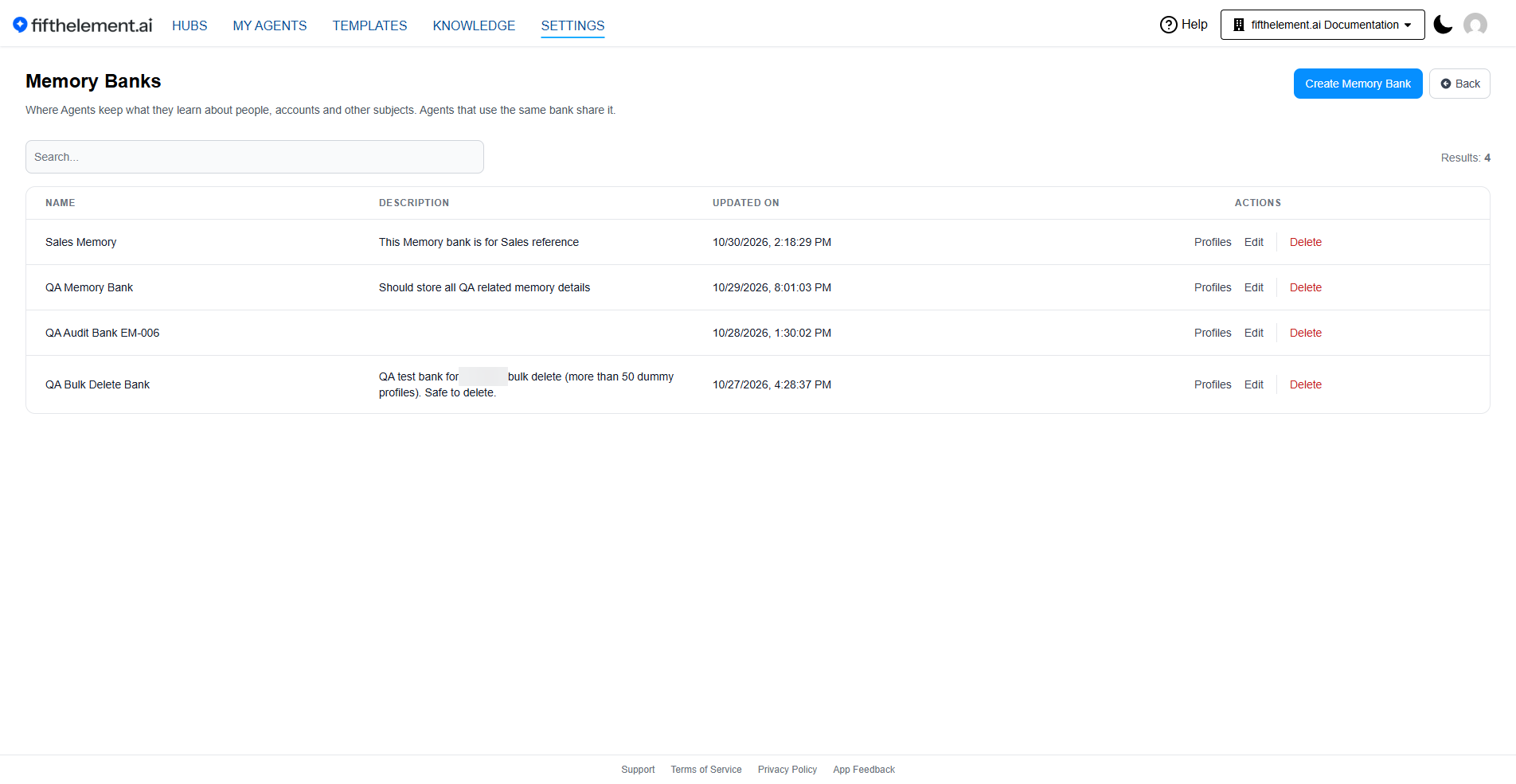
The Memory Banks list with Profiles, Edit and Delete per bank. Internal references are blurred.
| Column | Description |
|---|---|
| Name, Description | What you entered when creating the bank |
| Updated On | Last change to the bank's settings |
| Actions | Profiles opens the bank's profiles. Edit changes its settings. Delete removes it |
Only an empty bank can be deleted.
Creating a Memory Bank
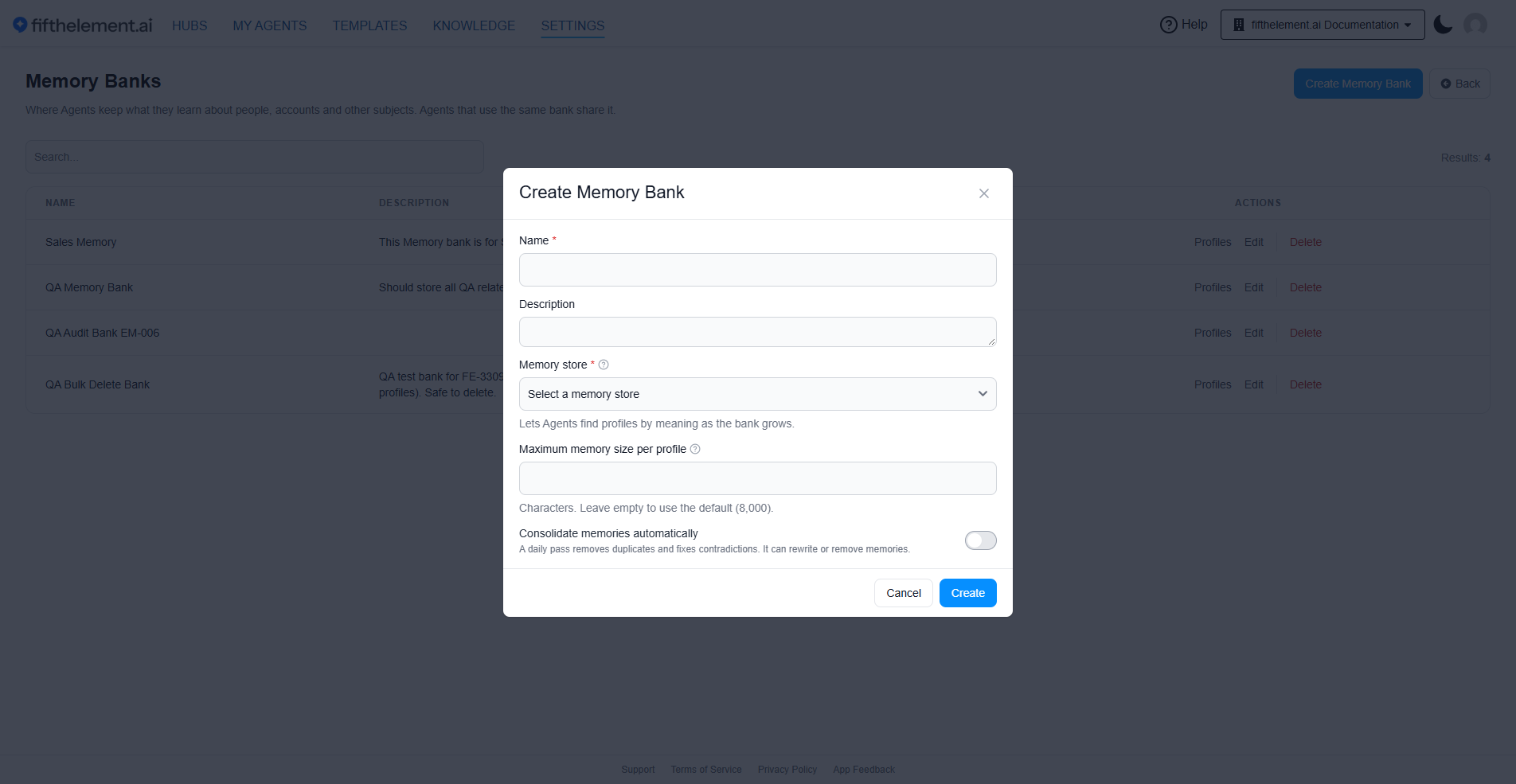
- Click Create Memory Bank
- Fill in the form and click Create
| Field | Required | Description |
|---|---|---|
| Name | Yes | Shown in the list and in the Entity Memory tool |
| Description | No | Up to 500 characters |
| Memory store | Yes | A Knowledge Base of type Memory. Pick an existing store or choose Create a new memory store... |
| Maximum memory size per profile | No | Characters per profile. Leave empty for the default of 8,000; the accepted range is 2,000 to 32,000 |
| Consolidate memories automatically | No | Turns on the daily pass described below. When on, a Consolidation model is required (chat models only), with optional Use a custom consolidation prompt and Use a custom merge prompt switches |
The size limit
At three quarters of the limit a profile is flagged for review. At the limit, new memories about that profile are not saved, whether from conversations, "remember this" or import, and the profile is flagged. Raising the limit takes effect on the next write; lowering it trims nothing. Larger limits mean larger prompts.
Profiles
Click Profiles on a bank to see what agents have learned about each subject.
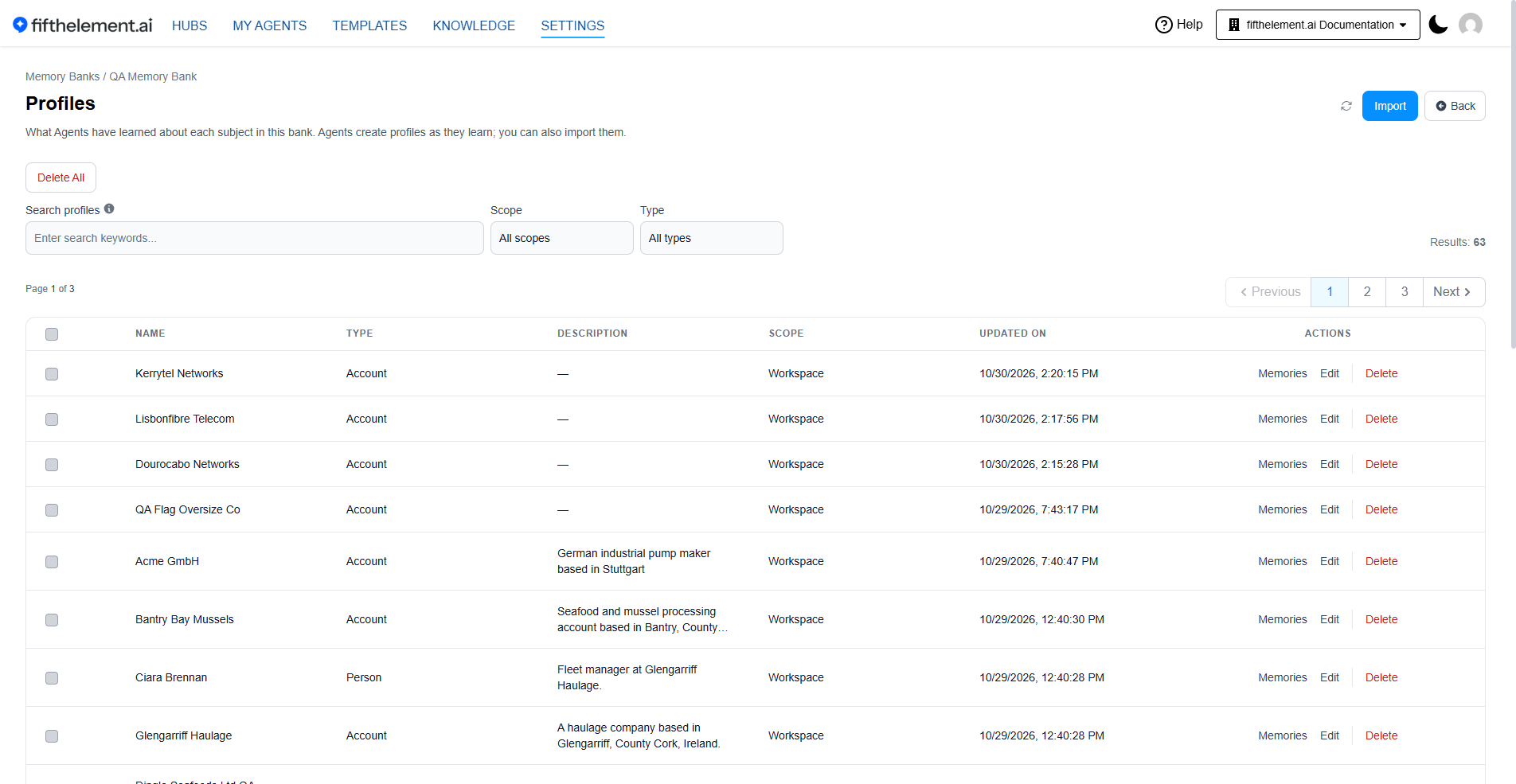
A bank's Profiles page with search, Scope and Type filters, Import and Delete All. The subjects shown are test data.
| Control | Description |
|---|---|
| Search profiles, Scope, Type | Filter the list. Aliases appear under a profile's name |
| Import | Add profiles from pasted text. See Importing profiles |
| Merge proposals (N) | Shown when the daily pass has proposals waiting. See Consolidation |
| Delete All | Deletes every profile in the bank after you type DELETE ALL |
| Memories | Opens the profile's memories and the Edit memories box |
| Edit | Opens the profile's name, description, aliases, attributes and linked profiles |
| Delete | Deletes one profile. Select several rows to delete them together |
Memories and Edit memories
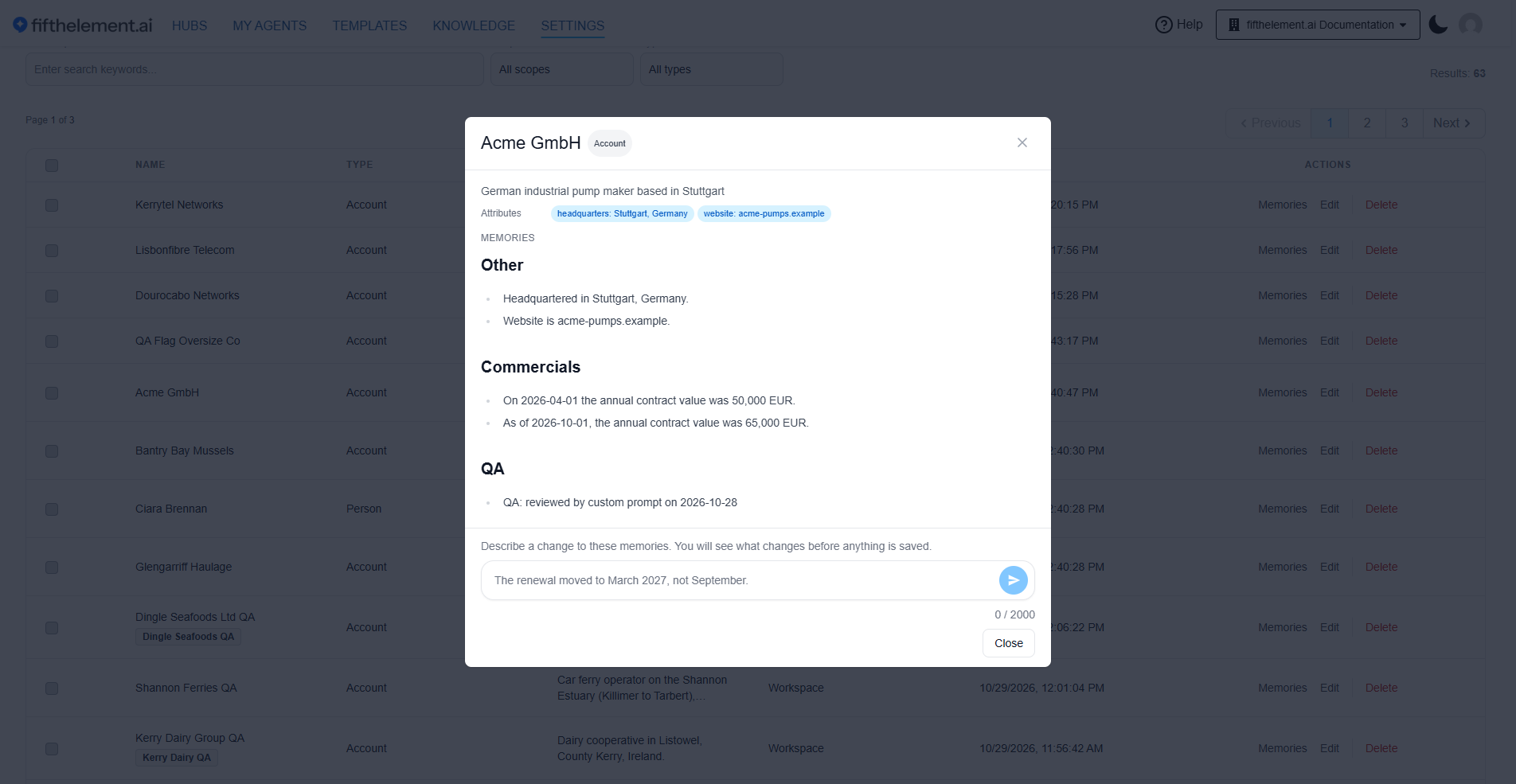
A profile's memories grouped by section, with the Edit memories box at the bottom. The example profile is fictional.
The Memories view shows the profile's description, its attributes and every memory by section, each with its date. Any review note appears here too.
To change memories without editing them by hand:
- Describe the change in plain words in the box, for example "The renewal moved to March 2027"
- Review Proposed changes
- Click Apply changes to save them, or Discard to keep everything as it was
An instruction cannot create the first memory of an empty profile; capture, "remember" or import must write it.
Edit profile
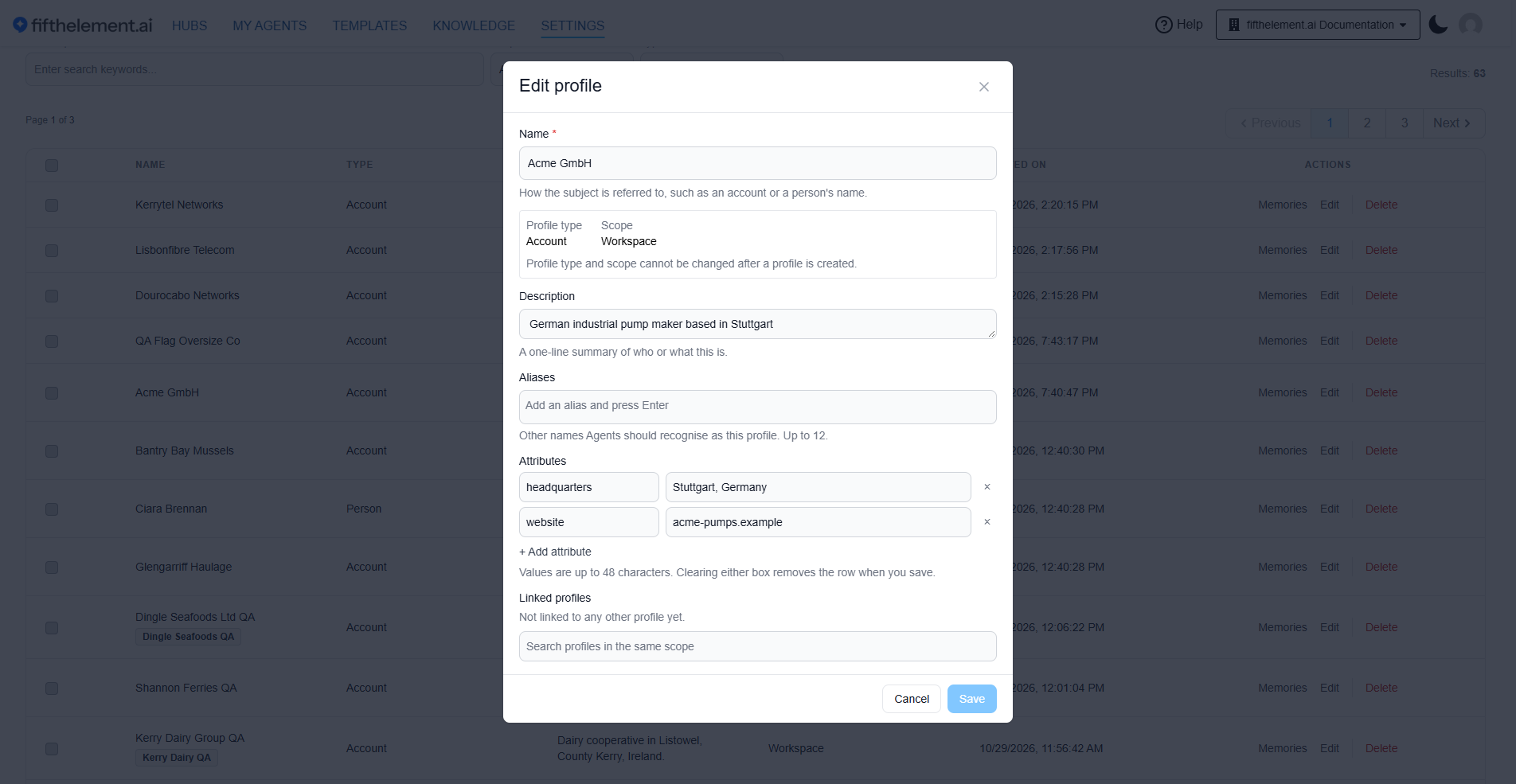
| Field | Description |
|---|---|
| Name | How the subject is referred to. Two profiles of the same type in the same scope cannot share a name, and case, punctuation and spacing variants count as the same name; merge them instead |
| Profile type, Scope | Fixed once the profile exists |
| Description | A one-line summary of who or what this is |
| Aliases | Other names agents should recognise as this profile. Up to 12 |
| Attributes | Key and value pairs such as headquarters or website. Values are up to 48 characters |
| Linked profiles | Other profiles in the same scope this one is related to |
Importing Profiles
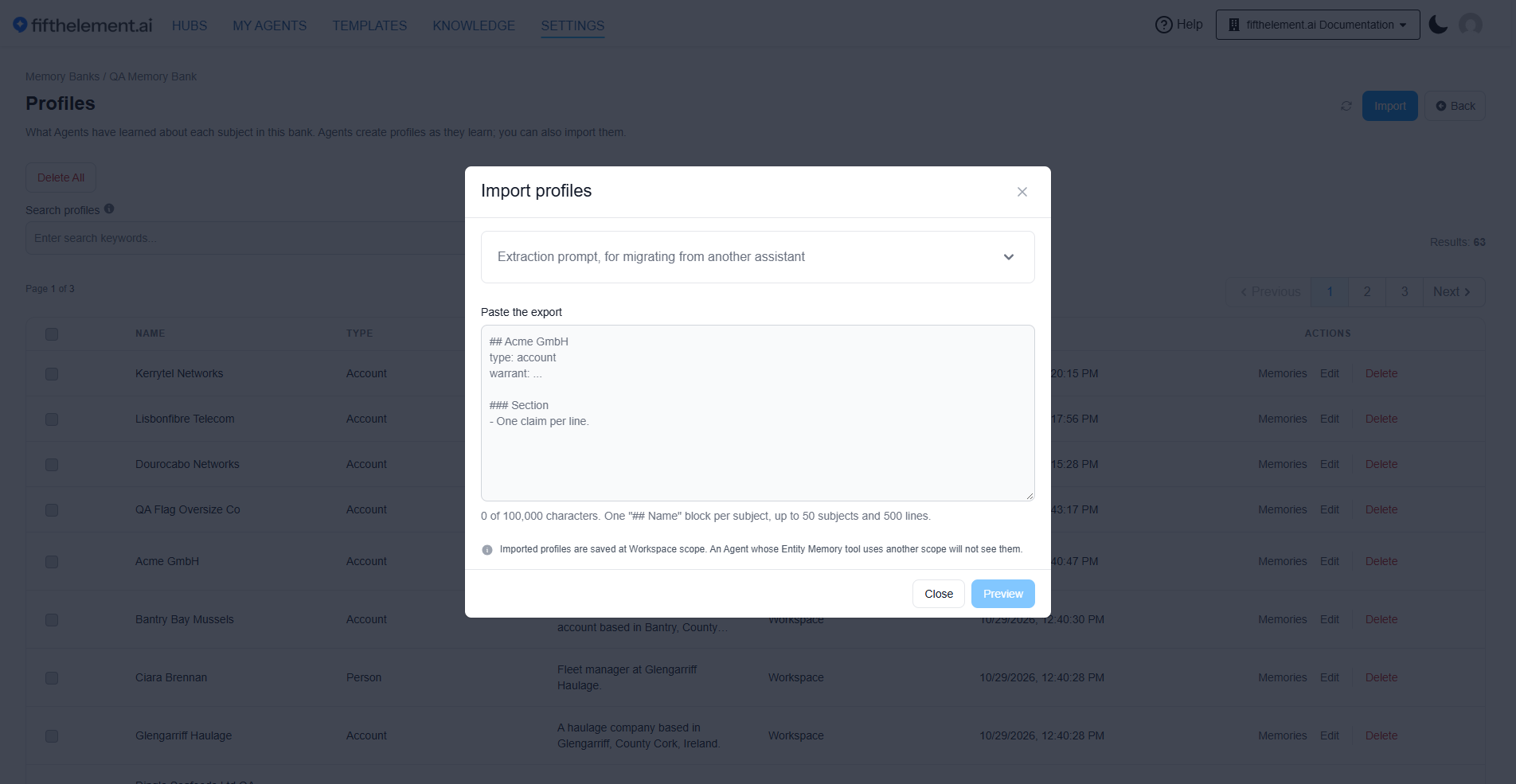
Import profiles with the extraction prompt, the paste box and the Workspace-scope note.
- Click Import on the Profiles page
- Optionally expand Extraction prompt, for migrating from another assistant and copy the prompt to run in the other assistant
- Paste the export. Each subject is a
## Nameblock with aType:line (lower case, such asaccount), awarrant:line for a new profile, optionalaliases:and###section headings, and one- factper line - Click Preview. Nothing is saved yet. The preview shows, per subject, whether it is a new or an existing profile, the lines to add, duplicates and the character count against the limit
- Click Import, then Start a new import for the next paste
| Rule | Detail |
|---|---|
| Limits | 50 subjects, 500 lines and 100,000 characters per paste. A subject over the bank's size limit is refused whole while the others import |
| Scope | Imported profiles are saved at Workspace scope. An agent whose Entity Memory tool uses another scope will not see them |
| Matching | A name that differs only by case or punctuation attaches to the existing profile. A likely duplicate is held for review and nothing is written for it |
| Rejected | A missing warrant, no facts, an unknown type or a relative date |
Consolidation
With Consolidate memories automatically on, a daily pass tidies the bank. Banks with it off are left unchanged.
| Pass | What happens |
|---|---|
| Duplicate profiles | Pairs that may be one subject are judged by the model. Two profiles with the same name judged the same are merged automatically. Same name judged different, or similar names judged the same, become a merge proposal |
| Tidying flagged profiles | Only profiles with a review flag are processed, a few per bank per pass. The pass may remove a line that repeats another, is superseded by a newer line or is no longer true, and may merge lines that say the same thing. It never deletes a distinct fact to save space |
Handle proposals from Merge proposals on the Profiles page: Merge keeps the first profile and moves the second one's memories and names into it (this cannot be undone), or Dismiss so the pair is not raised again.
A profile is flagged for review when it has redundant lines, when it passes three quarters of the size limit, when it reaches the limit or after a merge. The flag shows as a note in the profile's Memories view.
Edit memories uses the consolidation model
Edit memories runs on the bank's Consolidation model even when consolidation is off. Turn consolidation on, pick a model, save, then turn it off again if you only want the model for edits.
Related Topics
- Entity Memory - How agents read and write memory
- Profile Types - The kinds of subjects a bank can hold
- Tools - The Entity Memory tool
- Vector Stores - Required by the memory store
- Back to Settings