Vector Stores
Create and manage vector stores for knowledge storage, semantic search, and RAG capabilities.
Overview
Vector stores are the backend databases that store document embeddings and enable semantic search across your knowledge bases. When a user asks a question, the vector store is queried to find the most relevant document chunks based on vector similarity.
Vector stores are managed under Settings > Data Management > Vector Stores.
Creating a Vector Store
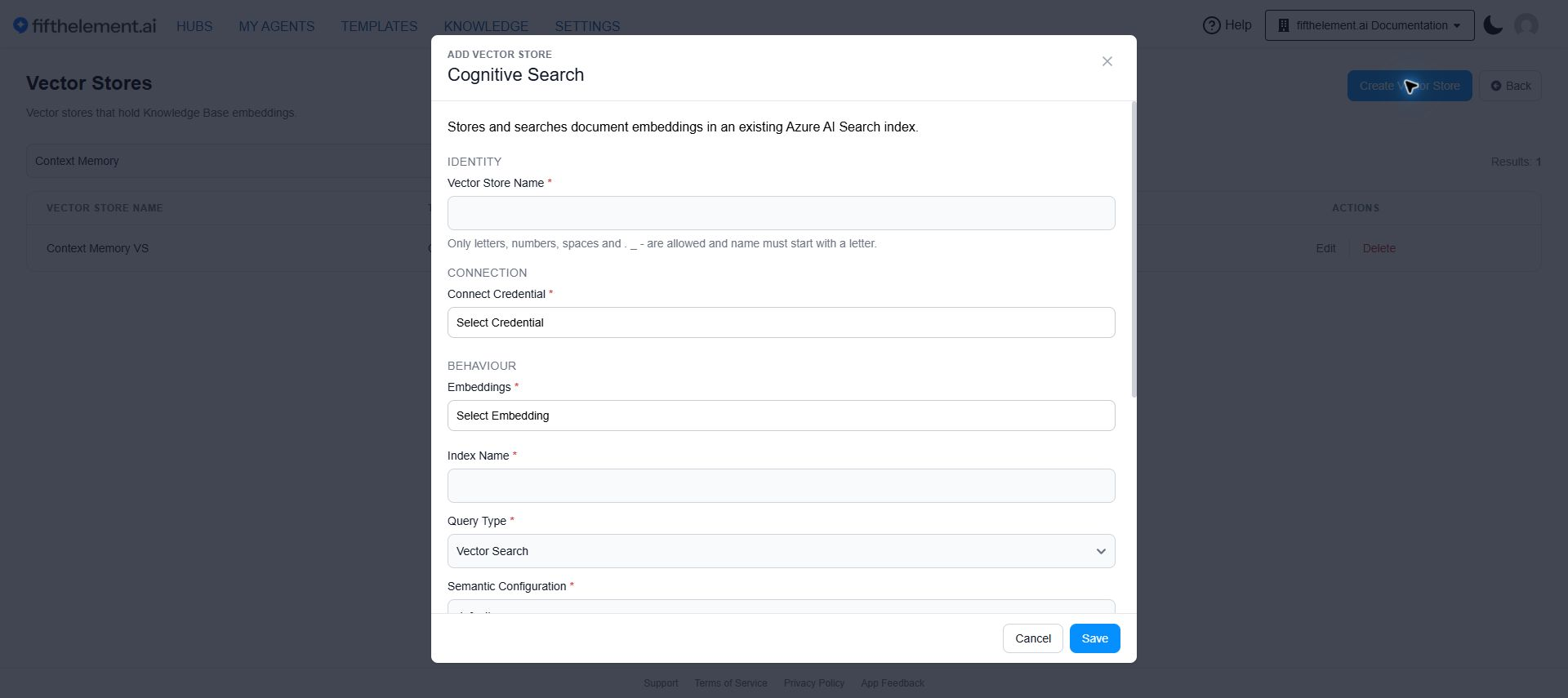
Currently, Cognitive Search (Azure Cognitive Search) is the supported vector store type.
- Navigate to Settings > Data Management > Vector Stores
- Click "Create Vector Store"
- Configure the Cognitive Search settings (see below)
- Click "Save"
Cognitive Search Configuration
| Field | Required | Default | Description |
|---|---|---|---|
| Vector Store Name | Yes | — | A descriptive name for this vector store |
| Connect Credential | Yes | — | Select a Cognitive Search credential configured under Settings > Security & Access > Credentials |
| Embeddings | Yes | — | Select an embedding model configured for the workspace |
| Index Name | Yes | — | The name of the Azure Cognitive Search index to use |
| Query Type | Yes | Vector Search | Select Full Text Search, Vector Search, or Hybrid Search |
| Semantic Configuration | Yes | default | Name of your semantic configuration |
| Content Key | Yes | content | Content storage key — the field that stores the document text |
| Vector Field | Yes | embedding | Field used for vector search |
| Metadata Key | Yes | metadata | Metadata storage key. Should be of ComplexType, containing subfields: document_id, source_id, source, url, author |
Additional Parameters
Expand Advanced parameters near the bottom of the form.
Additional Fields
Define custom fields for your vector store index. Each field requires:
| Column | Description |
|---|---|
| Property | The field name |
| Field Type | The data type of the field |
Click "Add" to create additional fields as needed.
Managing Vector Stores
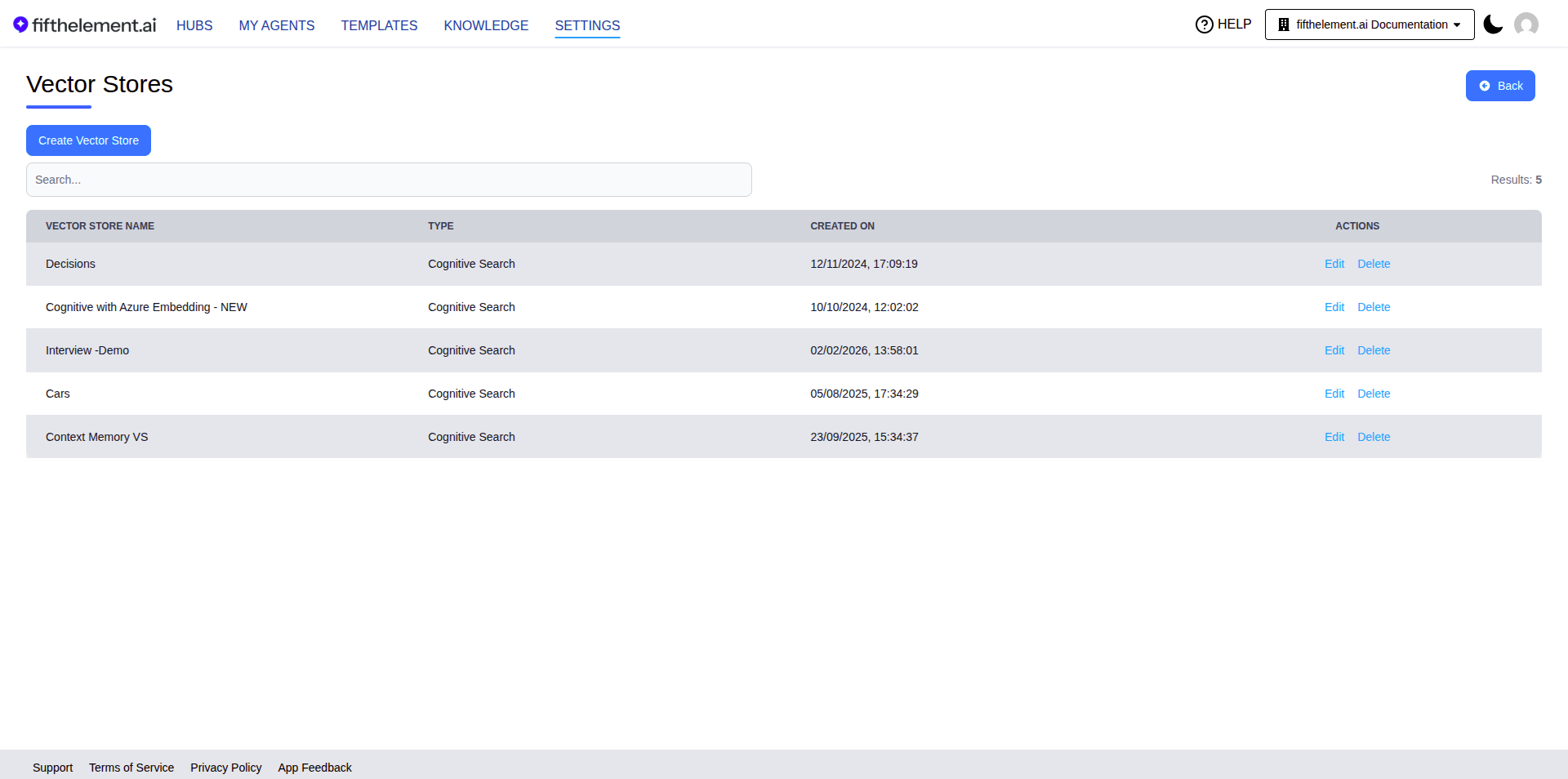
The Vector Stores list page displays all configured stores with:
| Column | Description |
|---|---|
| Vector Store Name | Name of the vector store |
| Type | Store type (Cognitive Search) |
| Created On | Date and time created |
| Actions | Edit, Delete |
Using Vector Stores
Once configured, vector stores are used by:
- Knowledge Bases — each knowledge base is backed by a vector store for document indexing and search
- Retrieval Tool — queries the vector store to find relevant context during conversations
- Context Memory Tool — Memory stores use vector stores for persistent memory storage
Vector Store Permissions
Vector store management is controlled through RBAC:
- Create, Read, Update, Delete
Configure these under Workspaces > Roles > Settings > Vector Stores. See RBAC & Roles for details.
Related Topics
- Embeddings — Configure embedding models used by vector stores
- Credentials — Set up Cognitive Search credentials
- Knowledge Overview — Knowledge repositories backed by vector stores
- Data Purge Settings — Manage data cleanup
- Back to Settings