Embeddings
Configure embedding models for RAG (Retrieval-Augmented Generation), semantic search, and knowledge base vector operations.
Overview
Embedding models convert text into numerical vector representations, enabling semantic search and similarity matching. They are a core component of the knowledge retrieval pipeline — when a user asks a question, the embedding model finds the most relevant document chunks from the knowledge base.
Embeddings are configured at the workspace level under Settings > AI Models > Embeddings, and are used by:
- Knowledge Bases — for indexing and searching documents
- Vector Stores — for storing and querying document embeddings
- Retrieval Tool — for finding relevant context during conversations
Adding an Embedding Model
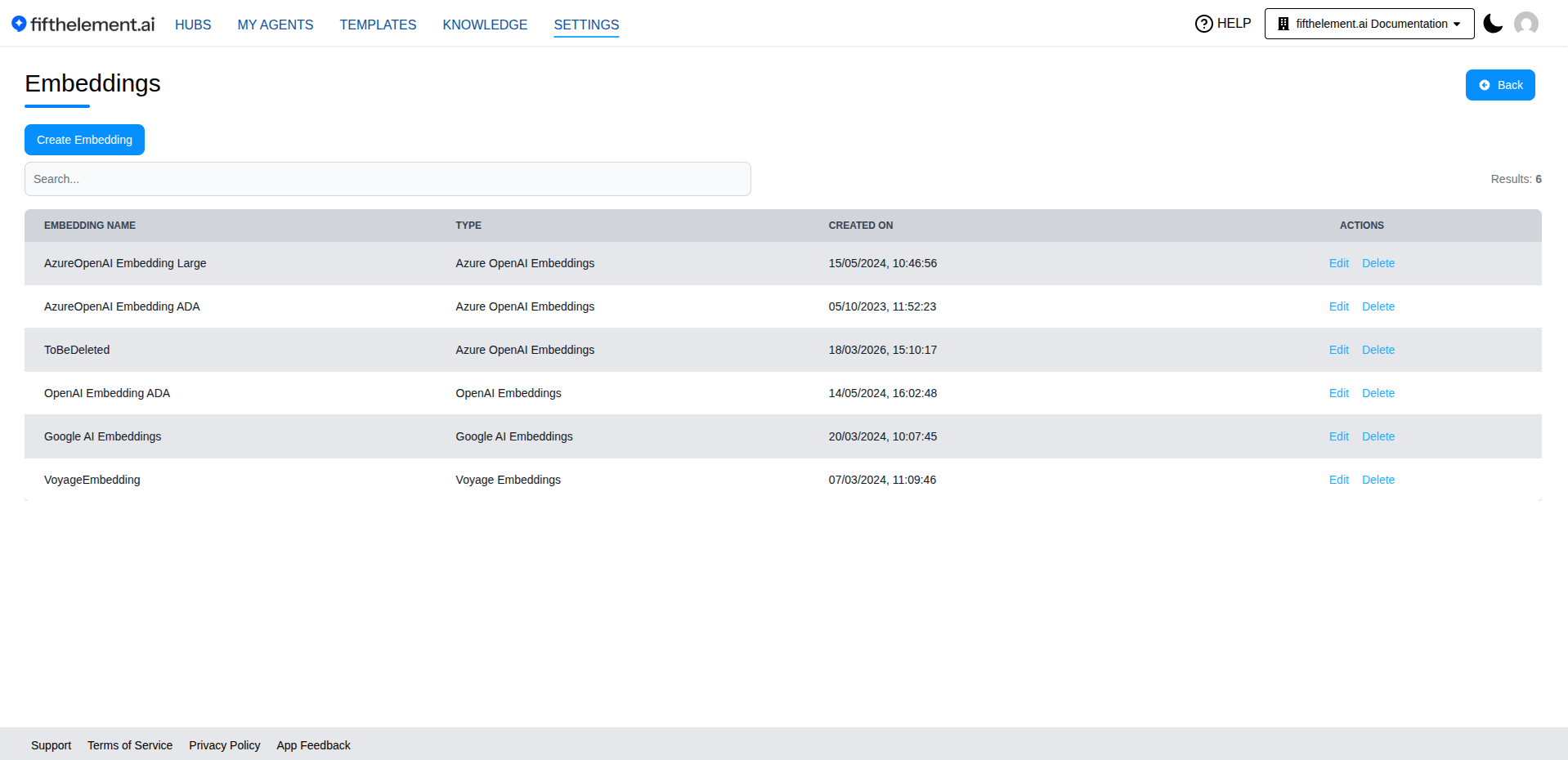
- Navigate to Settings > AI Models > Embeddings
- Click "Create Embedding"
- Select a provider from the available options
- Configure the embedding settings
- Click "Save"
Supported Providers
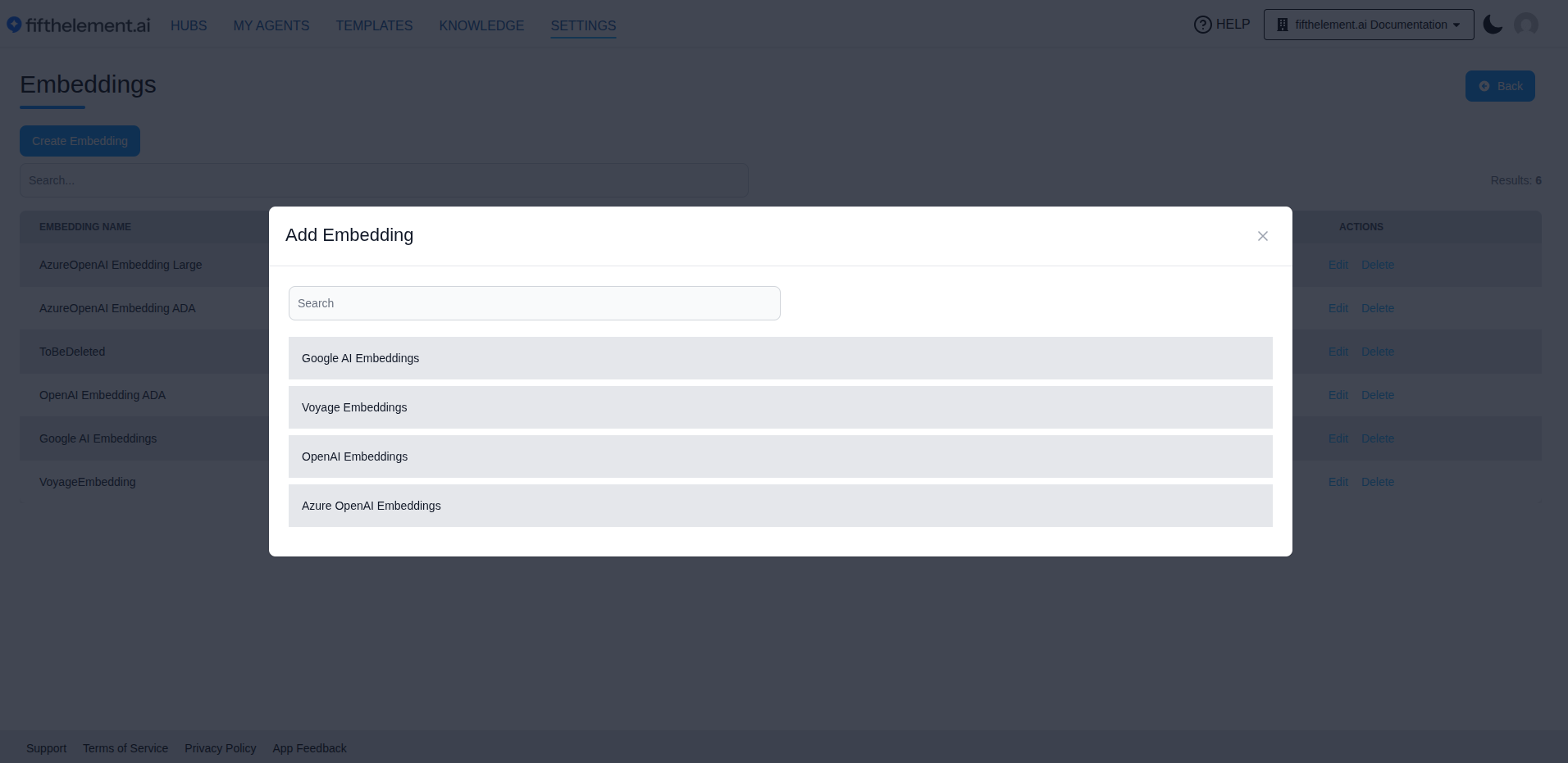
| Provider | Description |
|---|---|
| Google AI Embeddings | Google's text embedding models |
| OpenAI Embeddings | OpenAI's text embedding models (e.g., text-embedding-3-small, text-embedding-3-large) |
| Azure OpenAI Embeddings | Azure-hosted OpenAI embedding models |
Existing configurations may include providers that are not offered in the current creation chooser. Check the chooser before planning a new configuration.
Configuration
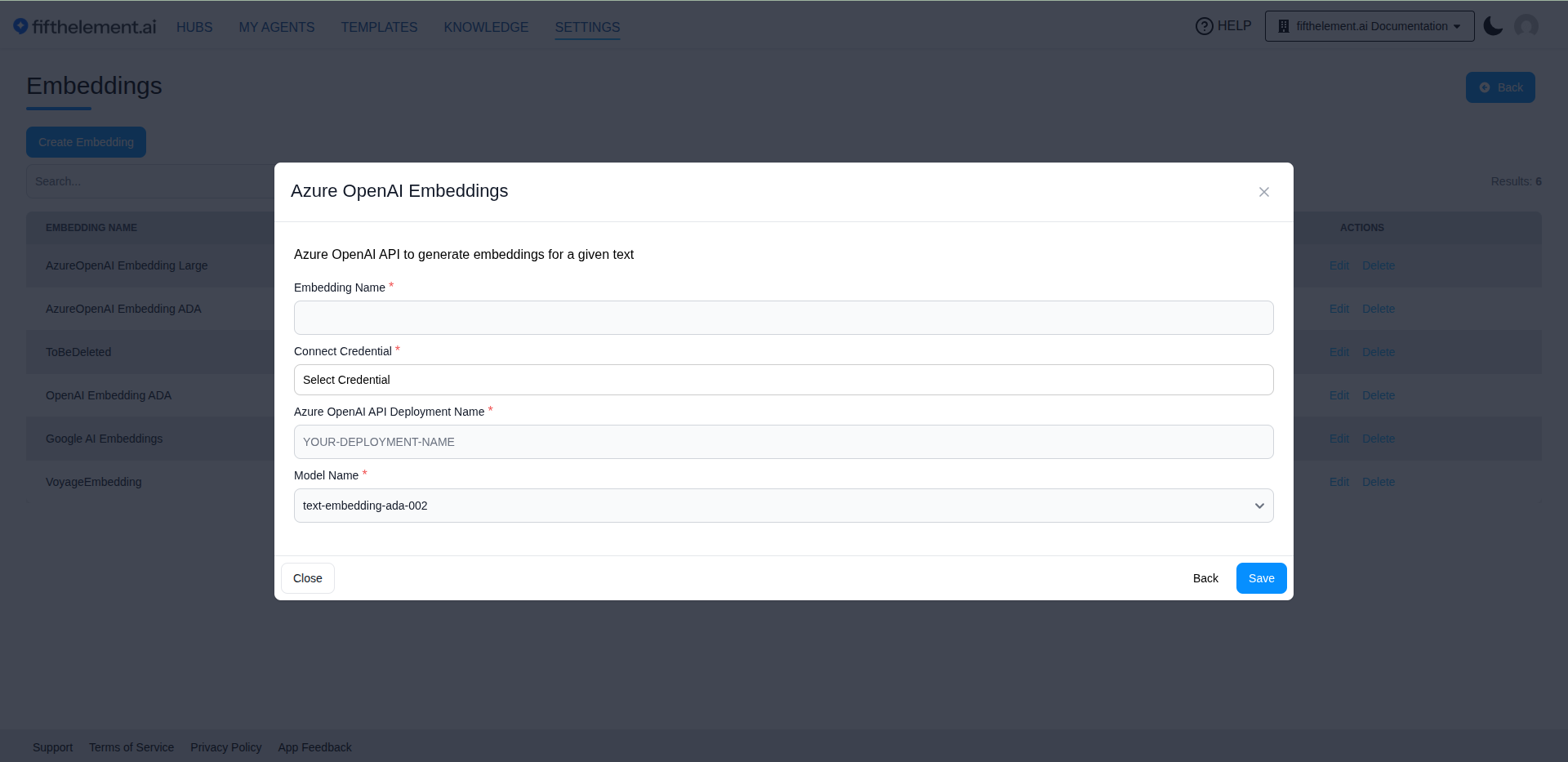
Each provider requires:
| Field | Required | Description |
|---|---|---|
| Embedding Name | Yes | A descriptive name for this embedding configuration |
| Connect Credential | Yes | Select the provider credential configured under Settings > Security & Access > Credentials |
| Model Name | Yes | Select an embedding model from the dropdown |
| Azure OpenAI API Deployment Name | Yes (Azure only) | The deployment name of the embedding model in your Azure OpenAI resource. Only shown when using Azure OpenAI Embeddings |
Model Availability
The list of available models is dynamic and depends on the selected provider and credential. New models are added as providers release updates.
Related Topics
- Back to AI Models
- Knowledge Overview — Knowledge repositories that use embeddings
- Vector Search — How vector search works with embeddings
- Settings > Credentials — Configure provider API credentials