Batch Models
Configure batch models for processing multiple text inputs simultaneously — used by post-processors, summary generation, and other background tasks.
Overview
Batch models are designed for high-volume asynchronous AI tasks that don't require real-time responses. They are used by:
- Conversation Post-Processors (Summary, Knowledge Ingestion) — to analyze and summarize expired conversations
- Analysis (After Each Turn) (Turn Post-Processor) — for re-run capability
- Document processing — for metadata extraction and regeneration tasks
Batch models are configured at the workspace level under Settings > AI Models > Batch Models.
Adding a Batch Model
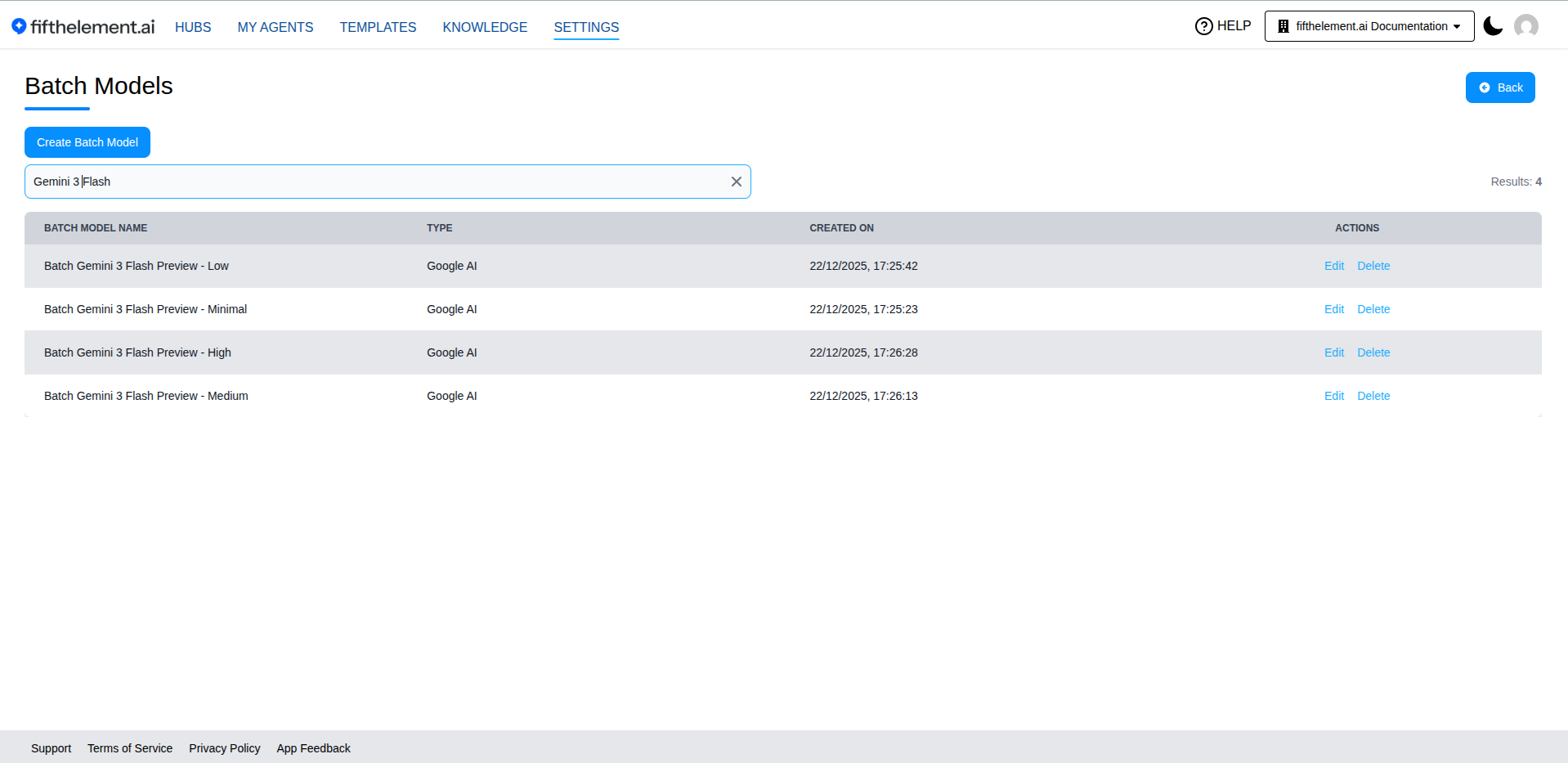
- Navigate to Settings > AI Models > Batch Models
- Click "Create Batch Model"
- Select a provider from the available options
- Configure the model settings
- Click "Save"
Supported Providers
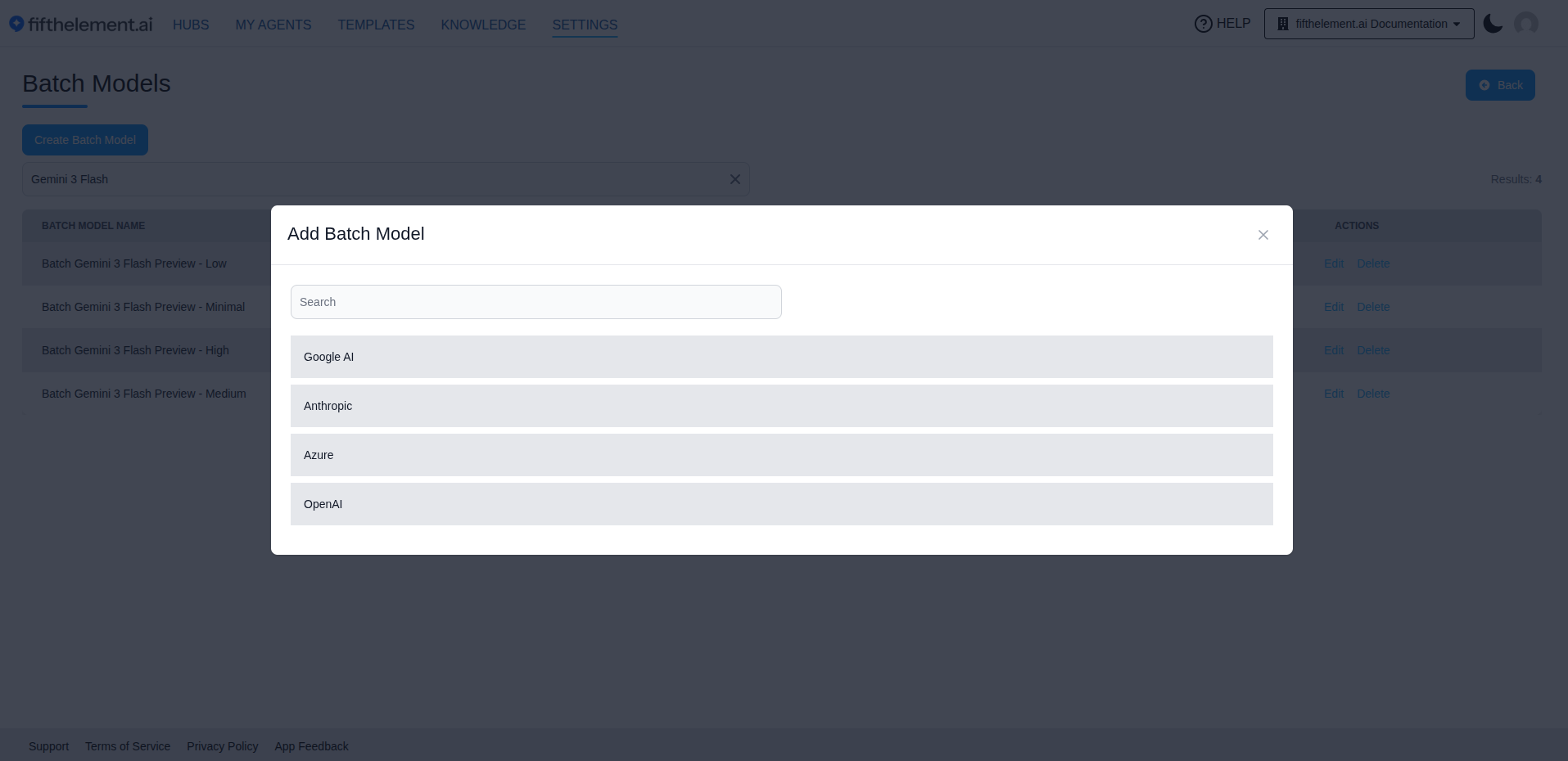
| Provider | Description |
|---|---|
| Google AI | Google's batch processing models |
| Anthropic | Anthropic's Claude models for batch processing |
| Azure | Azure OpenAI batch models |
| OpenAI | OpenAI's batch processing models |
| X AI | X AI batch models |
Model Availability
| Provider | Additional selectable batch models |
|---|---|
| OpenAI | gpt-6-astra |
| Azure | gpt-6-astra |
| Google AI | Gemini 3.8 Flash, Gemini 3.7 Flash |
Other Batch Model Options
| Provider | Model Name |
|---|---|
| OpenAI | gpt-5.2-2025-12-11, gpt-5.4, gpt-5.4-mini, gpt-5.4-nano, gpt-5.5, gpt-5.6-sol, gpt-5.6-terra, gpt-5.6-luna |
| Anthropic | Claude 4.8 Opus, Claude 5 Sonnet, Claude 5 Fable |
Configuration
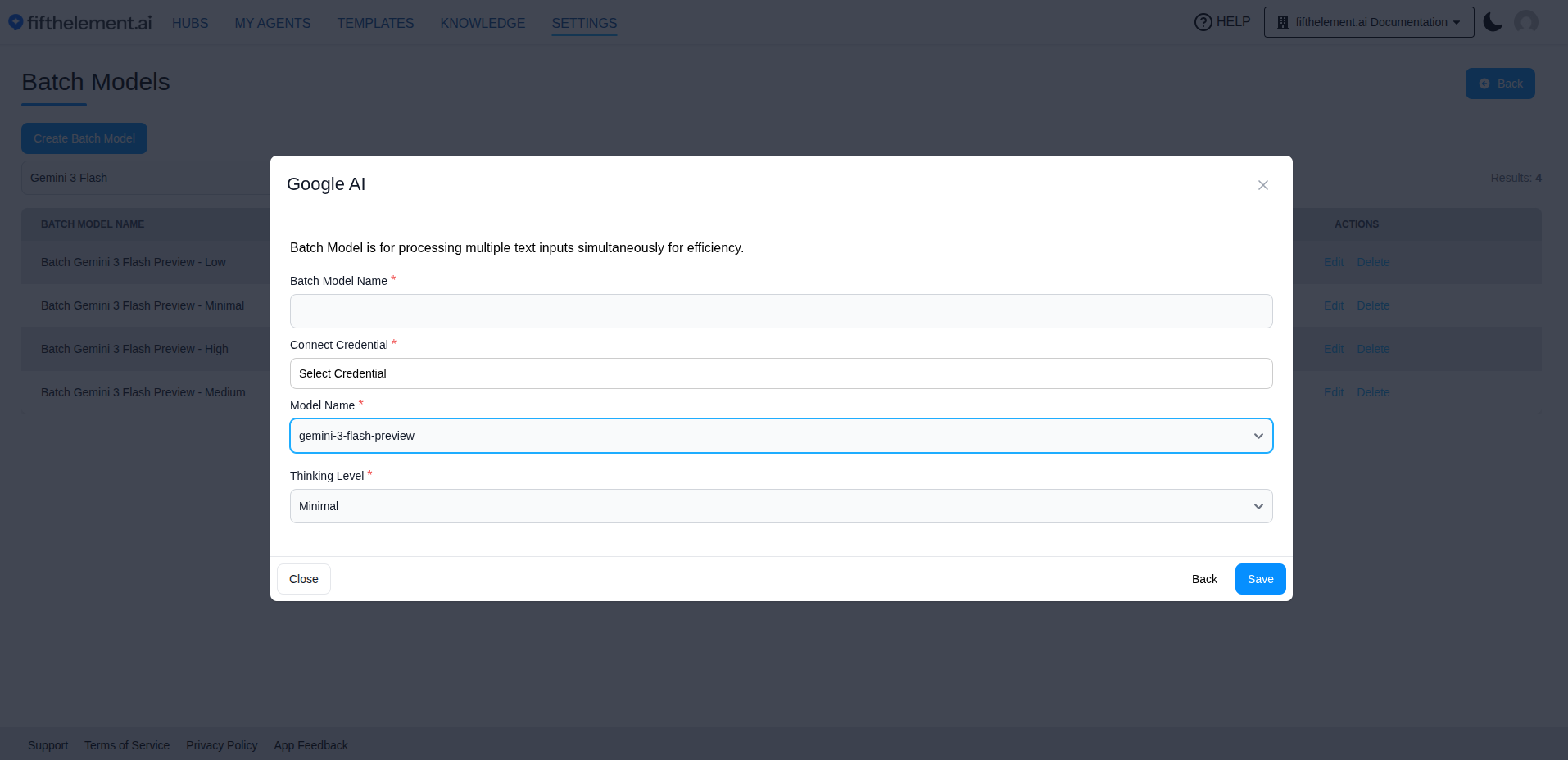
Each provider requires the same core fields:
| Field | Required | Description |
|---|---|---|
| Batch Model Name | Yes | A descriptive name for this batch model configuration |
| Connect Credential | Yes | Select the provider credential configured under Settings > Credentials |
| Model Name | Yes | Select a model from the dropdown. Available models depend on the selected provider and credential |
| Thinking Level | No | Controls the depth of reasoning the model applies before generating a response. Options vary by model (e.g., "Minimal", "Low", "Medium", "High"). Higher thinking levels produce more thorough analysis but may increase processing time and cost |
Azure Note
For Azure, select credentials using an Azure API version that includes the -preview suffix (minimum version: 2023-04-01-preview).
Model Availability
The list of available models is dynamic — new models are added and older ones deprecated as providers release updates. The models shown in the dropdown reflect what is currently available for your configured credentials.
Using Batch Models
Once configured, batch models become available for selection in:
- Post-Processor configuration — select a batch model for Summary and Analysis (After Each Turn) processors
- Knowledge Base — used for document summary regeneration and metadata extraction
- Batch Monitoring — track the status of batch jobs via User Icon > Batch Monitoring
For details on post-processor configuration, see Post-Processors.
Related Topics
- Back to AI Models
- Post-Processors — Configure processors that use batch models
- Language Models — Real-time conversational models
- Settings > Credentials — Configure provider API credentials