ASR Models
Configure Automatic Speech Recognition (speech-to-text) models to enable voice input for your agents.
Overview
ASR (Automatic Speech Recognition) models convert spoken language into text, allowing users to interact with your agents using voice. When ASR is enabled, a microphone button appears next to the text input area in the chat interface, enabling Push To Talk functionality.
Microphone permission is requested only when the user actually tries to use the voice feature, reducing friction for users who don't need voice input.
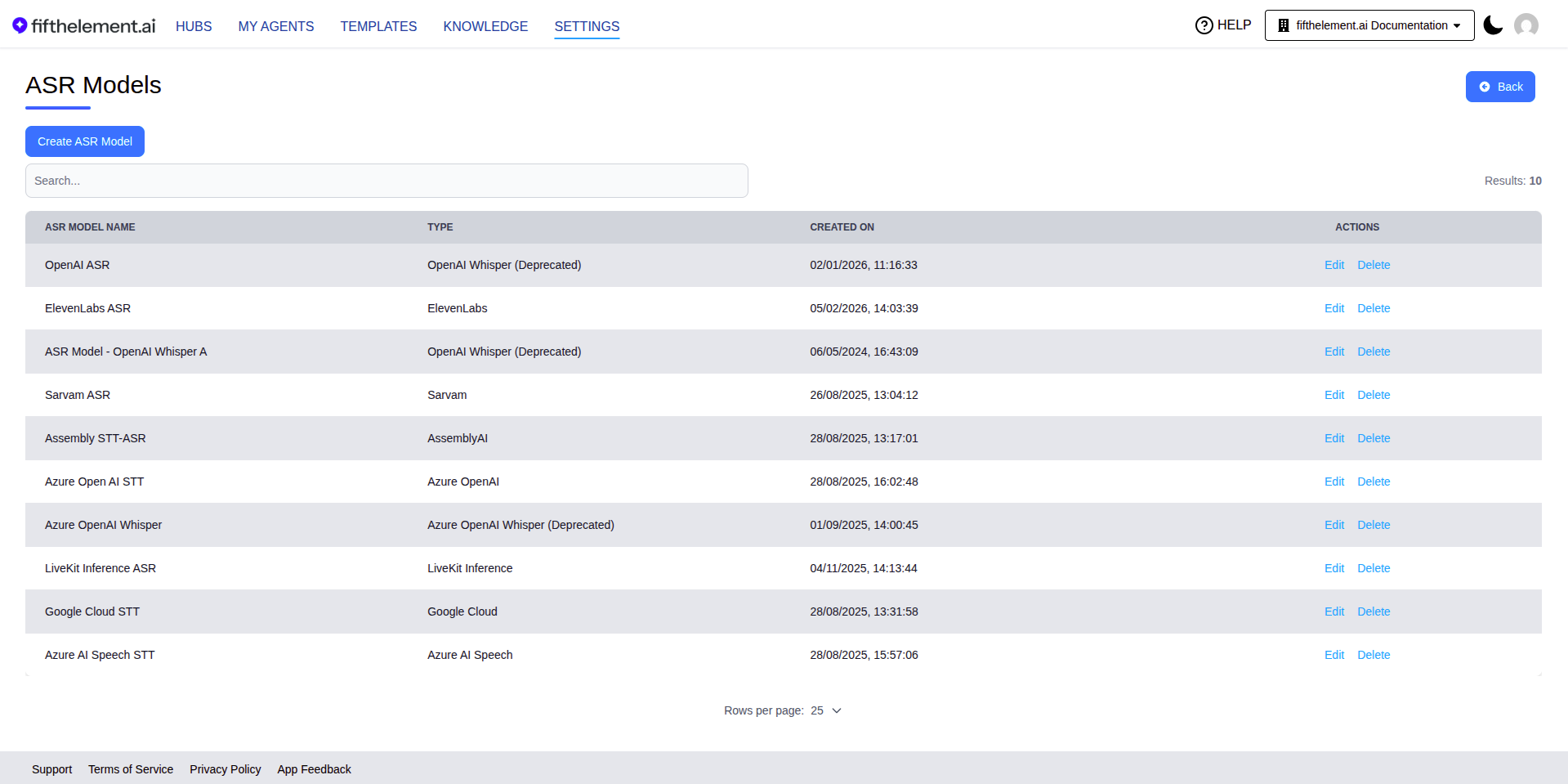
ASR Models are managed under Settings > AI Models > ASR Models.
Enabling ASR on an Agent
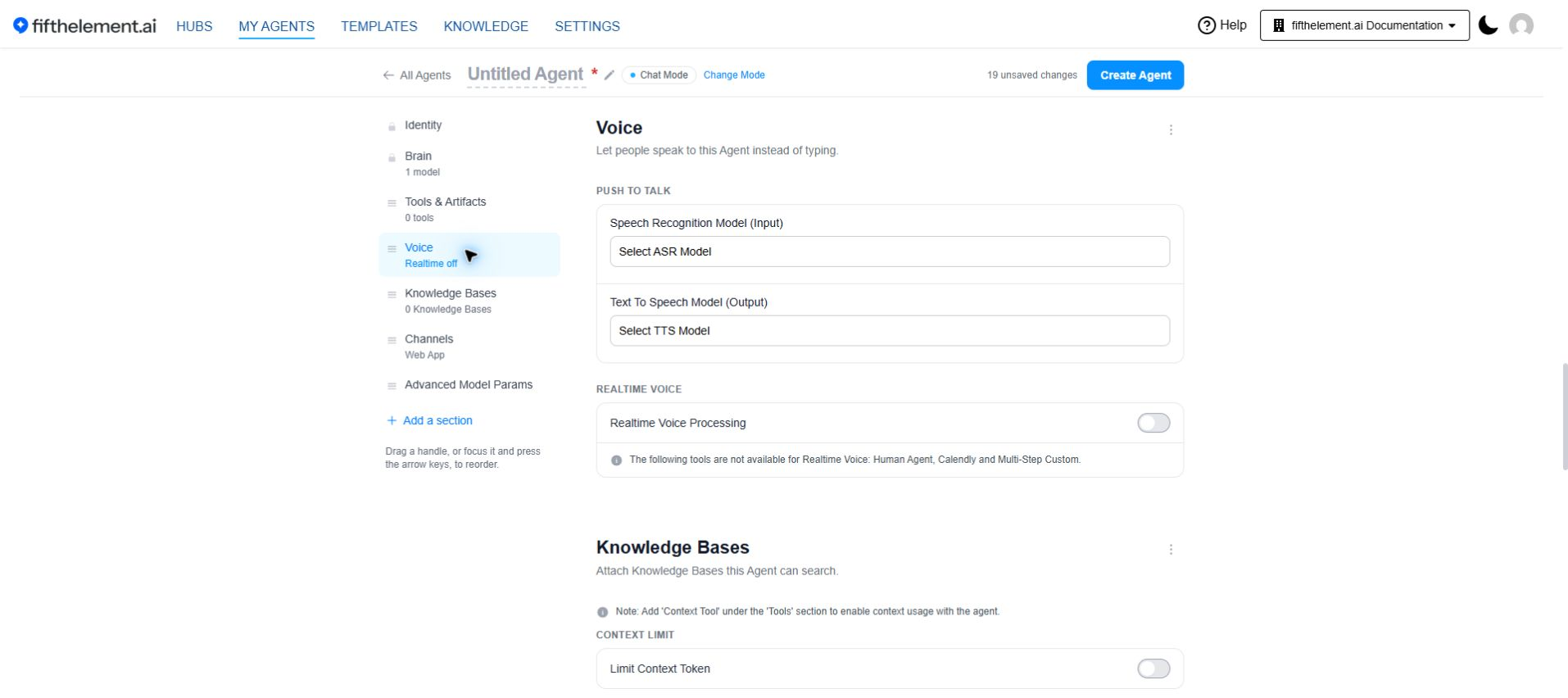
To enable speech-to-text for an agent:
- Navigate to the agent's Voice module
- Under Push to talk, open Speech Recognition Model (Input)
- Select an ASR model from the configured models in your workspace
- Click "Save"
How It Works — Push To Talk
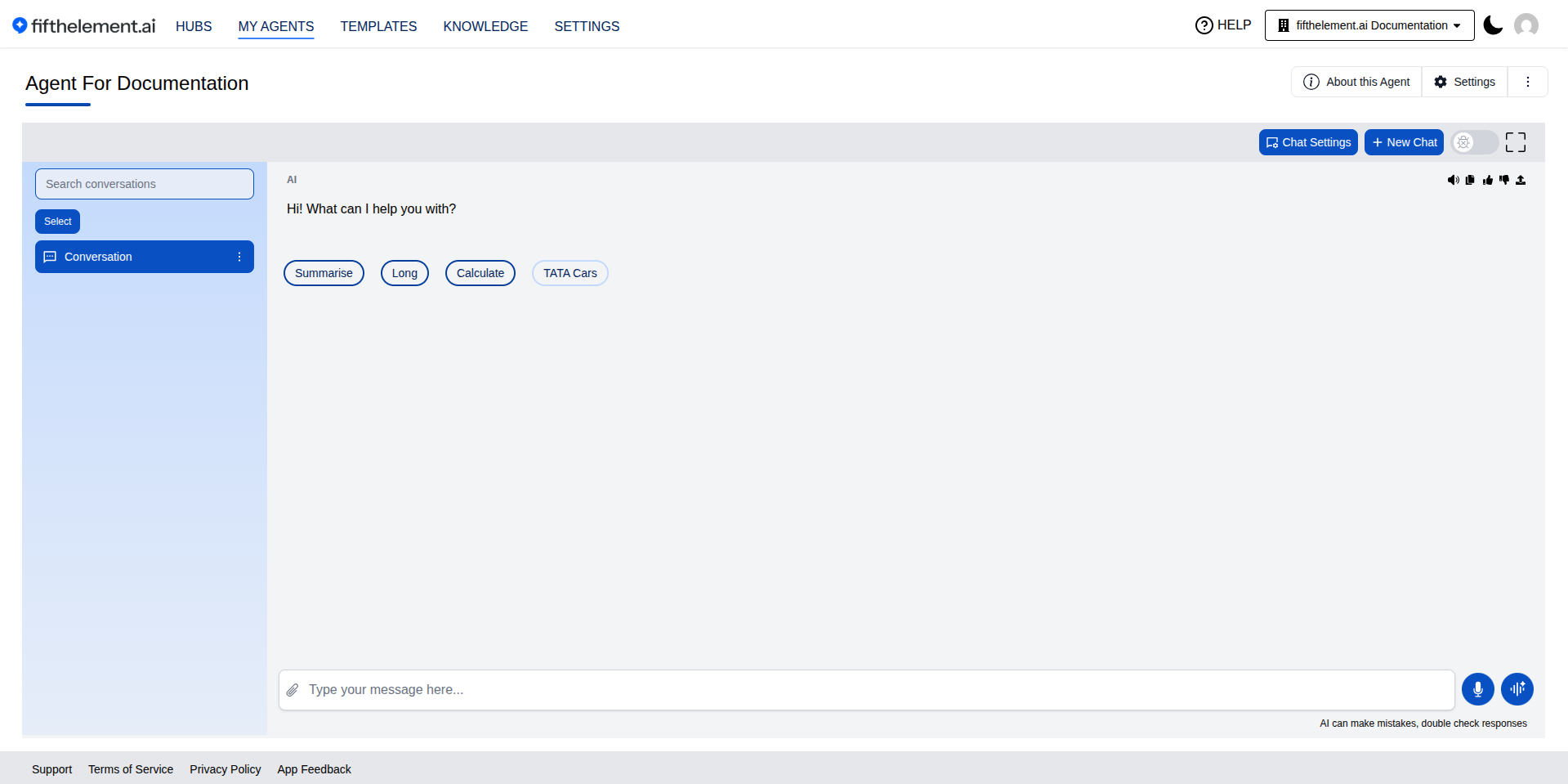
Once ASR is enabled on an agent:
- A Mic button appears next to the text input area in the chat interface
- Users click the Mic button and push to talk — speaking their message
- The ASR model transcribes the spoken input into text
- The agent processes the transcribed text and generates a response
Push To Talk
The voice input uses a push-to-talk model — users press and hold the mic button while speaking. This gives users explicit control over when the agent is listening.
ASR with TTS
When ASR is enabled alongside Text-to-Speech (TTS), the agent supports a full voice conversation flow:
- User speaks → ASR converts speech to text
- Agent processes the transcribed text
- Agent responds → TTS converts the response back to speech, automatically playing it back
This combines speech input with spoken responses. Push To Talk still requires the user to hold the microphone control while speaking.
Supported Providers
ASR models are configured at the workspace level under Settings > AI Models > ASR Models. The available models depend on the providers configured for your workspace.
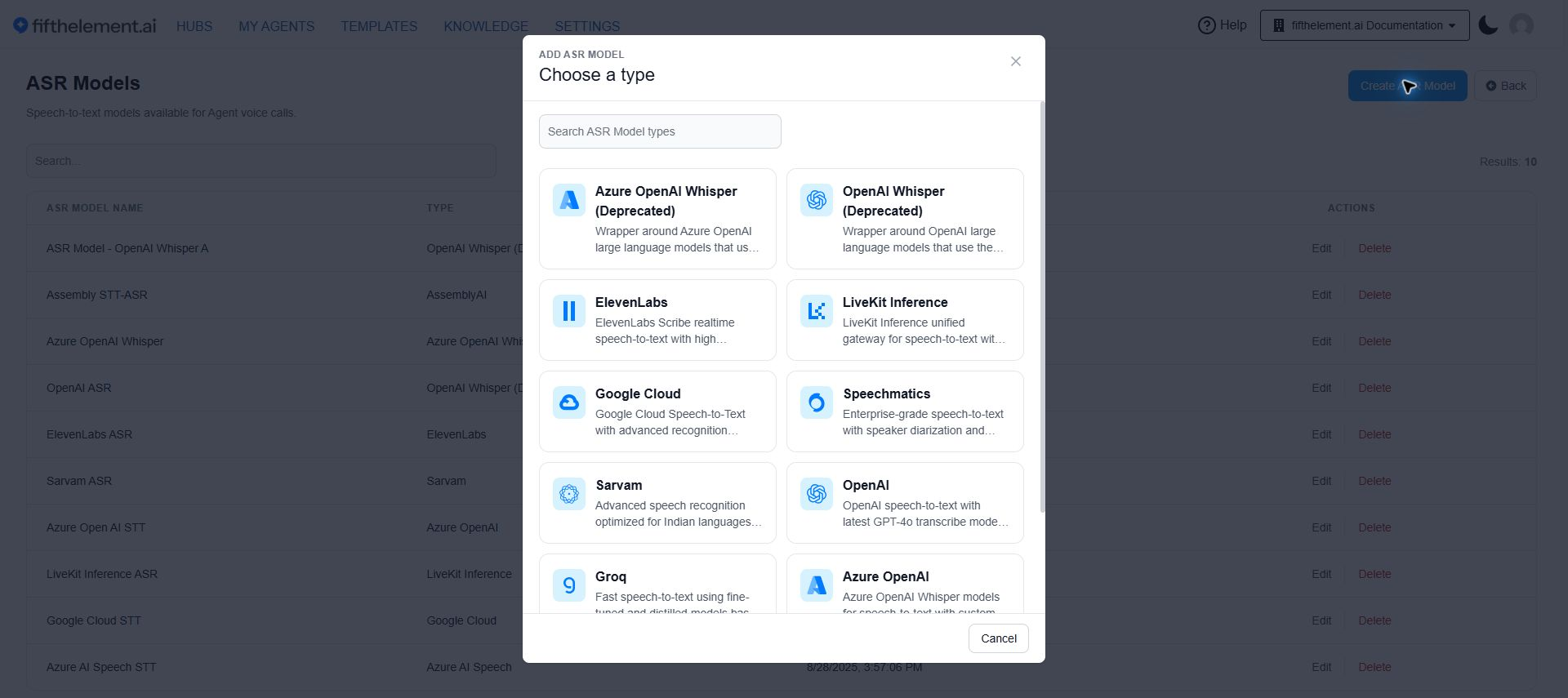
- Click Create ASR Model.
- Search the provider tiles or scroll through them.
- Choose a provider, enter a name, and select its credential and model settings.
- Review required fields and click Save.
| Provider | Models / Notes |
|---|---|
| OpenAI | Latest OpenAI STT models |
| Azure OpenAI | Azure-hosted OpenAI STT |
| Azure AI Speech | Azure AI Speech Services |
| Google Cloud | Google Cloud Speech-to-Text |
| AssemblyAI | Supports Speech Model selection, including Universal Streaming Multilingual (Beta) for improved accuracy across diverse languages |
| Sarvam | Saaras v3 — optimized for Indian languages |
| ElevenLabs | ElevenLabs speech-to-text |
| Speechmatics | Speechmatics ASR |
| Groq | Groq-hosted STT models |
| LiveKit Inference | Access various STT providers via a unified gateway using simple model ID strings. Requires a LiveKit Inference API credential under Settings > Security & Access > Credentials |
| OpenAI Whisper | (Deprecated) Legacy OpenAI Whisper |
| Azure OpenAI Whisper | (Deprecated) Legacy Azure-hosted Whisper |
Model Selection
Choose your ASR model based on language support, accuracy requirements, and latency needs. Some models perform better with specific accents or in noisy environments. For multilingual use cases, consider AssemblyAI's Universal Streaming model or Sarvam for Indian language support.
Related Topics
- Back to AI Models
- TTS Models — Pair with ASR for full voice conversations
- Realtime Voice Models — For phone/SIP-based voice agents
- Voice Guides — End-to-end voice workflow setup
- Agent Builder — Advanced Configuration — the Voice module in the agent builder