Search Agents
Search agents provide a query interface with search modes and filters. Configure a Search agent separately from a Chat agent; their available modules differ.
Configure Search Behavior
- Start with Search in the creation mode picker, or open an existing Search agent's settings.
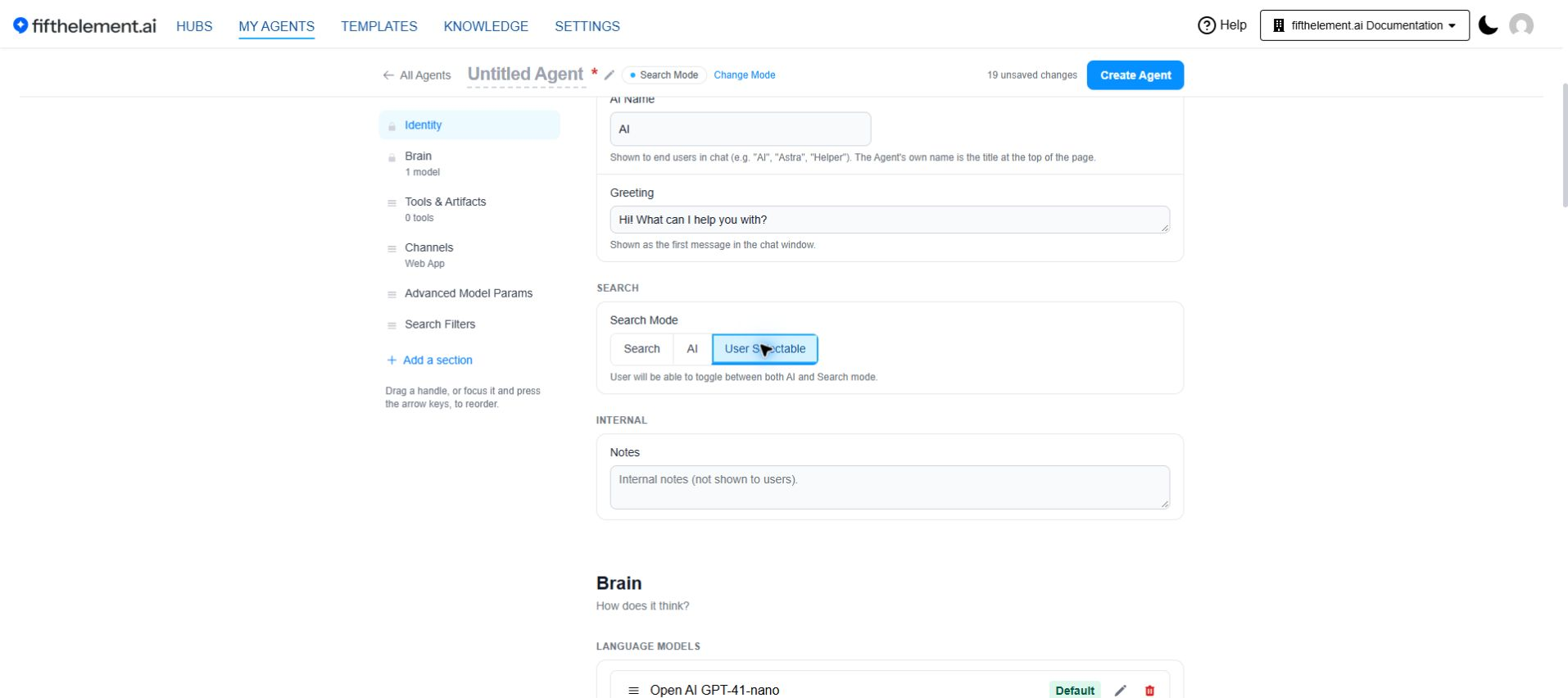
- Review Identity > Search Mode. The available choices are Search, AI and User Selectable.
- Review the agent's configured tools and the Knowledge Base they use.
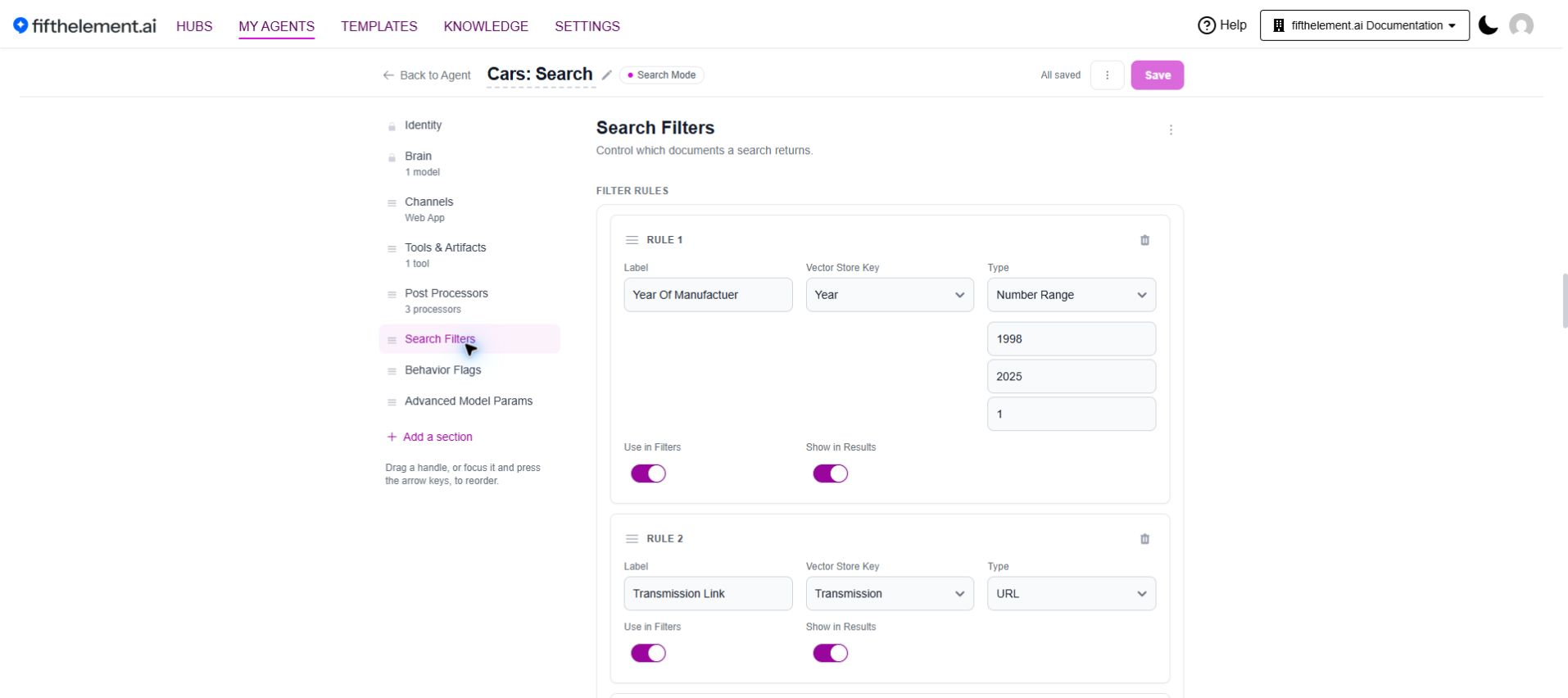
- Open Search Filters and use Add rule to define a filter against the appropriate data field.
- Review Use in Filters and Show in Results for each rule. A field intended as a result label need not also be a user filter.
- Review Channels and the intended sign-in requirements before saving.
See the builder reference for mode differences and advanced configuration for filter fields.
Review the Search Experience
Open the agent's user view and check the query field, available mode controls and filter sidebar. Use a synthetic query with a known source document, then check that the result title and content identify the expected document.
Repeat with a relevant filter and a query that should have no matching results. Review behavior using the intended member account as well as the configuration account; Owner access does not prove another user's document access.
Chat with Selected Documents
This workflow involves two agents: the Search agent that presents documents and the configured Chat agent that receives the selection. Review the Chat with Selected Documents setting and the selected chat-agent dependency before testing the handoff.
See Chat with User Selected Documents for tool configuration. Test with synthetic documents and confirm the resulting conversation uses the selected material. Configuration alone does not establish that the handoff or document permissions work for every user.
Troubleshooting
| Symptom | Check | Next action |
|---|---|---|
| Expected document missing | Document status, selected Knowledge Base and current filters | Check ingestion status, then repeat a known-source query without optional filters. |
| Filter does not narrow results | Rule's data field and values in the source documents | Compare the rule with the indexed metadata before changing it. |
| Owner sees results but a member does not | Member/role scope and document keys | Ask an authorized administrator to review access; do not remove locks simply to make a test pass. |
| Selected-document chat unavailable | Search setting and selected Chat agent | Review the dependency and the user's access to both agents. |
Related Topics
- Basic Configuration — Chat and Search creation modes.
- Vector Search — retrieval configuration.
- Document Ingestion — document readiness.
- RBAC & Roles — resource scope and document keys.